
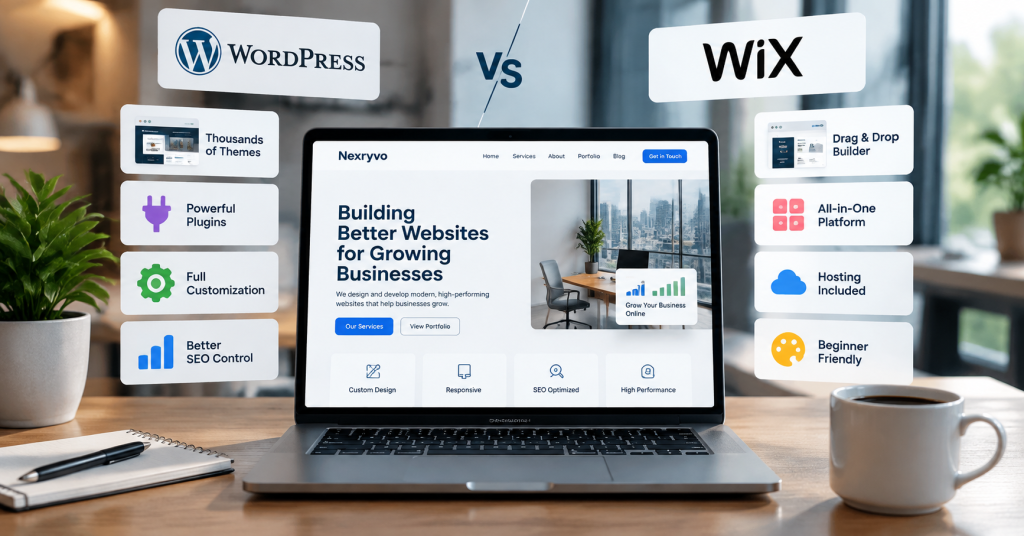
Choosing the right website platform is one of the first important decisions when starting or growing a small business. Your website needs to look professional, attract potential customers, perform well on search engines, and support your business as it grows.
Two popular options are WordPress and Wix. Both allow you to create professional websites, but they offer different approaches to website design, customization, maintenance, and long-term flexibility.
So, when comparing WordPress vs Wix, which platform is better for small businesses in 2026?
The answer depends on your business goals, technical experience, budget, and future requirements. Wix offers a convenient all-in-one website-building experience, while WordPress provides greater flexibility and control over your website.
In this guide, we compare both platforms across important areas, including pricing, design, SEO, e-commerce, performance, and scalability, to help you make an informed decision.
WordPress vs Wix: Quick Comparison
Before exploring the details, here is a quick overview of how WordPress and Wix compare.
| Feature | WordPress.org | Wix |
|---|---|---|
| Ease of Use | Moderate learning curve | Beginner-friendly |
| Website Design | Highly customizable | Visual drag-and-drop editor |
| Hosting | Purchased separately | Included |
| Pricing | Flexible, depends on hosting and tools | Subscription-based |
| SEO Capabilities | Extensive customization | Built-in SEO tools |
| Plugins and Extensions | Thousands available | Wix App Market |
| E-commerce | WooCommerce | Built-in Wix eCommerce |
| Website Maintenance | Mostly your responsibility | Largely managed |
| Custom Development | Extensive flexibility | Supported with platform-specific tools |
| Scalability | Highly flexible | Depends on plan and platform capabilities |
| Website Ownership and Control | Greater control over files and data | Platform-dependent |
Overall: WordPress is generally better for businesses that prioritize flexibility, customization, and long-term control. Wix is a strong option for businesses that want a straightforward website-building experience with hosting and essential tools included.
1. What Is WordPress?
WordPress is an open-source content management system (CMS) that allows users to create and manage different types of websites.
It powers everything from small business websites and personal blogs to large publications and e-commerce stores.
One important distinction is that WordPress comes in two different forms:
- WordPress.org: The self-hosted version that you install on your own web hosting account. You choose your hosting provider, themes, plugins, and development approach.
- WordPress.com: A hosted service that provides WordPress websites through subscription plans.
For this comparison, we are focusing on WordPress.org because it offers the flexibility most businesses are looking for when comparing WordPress with Wix.
One of WordPress’s biggest advantages is its customization potential. You can choose from thousands of themes and plugins, work with professional developers, or create custom functionality according to your business requirements.
For example, a local marketing agency can use WordPress to build a service-focused website with landing pages, lead generation forms, a blog, and CRM integrations.
As the business grows, additional features can be introduced without being restricted to a single website-building environment.
2. What Is Wix?
Wix is a hosted website-building platform designed to make website creation accessible to people without extensive technical knowledge.
Unlike self-hosted WordPress, Wix combines website design tools, hosting, and various business features within one platform.
Users can choose a template or use its AI-powered website creation tools to generate an initial website. They can then customize the design using a visual editor.
Wix also provides features for:
- Business websites
- Online stores
- Appointment booking
- Blogging
- Contact forms
- Email marketing
- Website analytics
- Customer management
For example, a local fitness trainer can use Wix to create a website, display training packages, accept appointment bookings, and communicate with customers without managing separate hosting services.
Wix is particularly attractive to business owners who want to launch a website quickly without handling technical configurations.
3. WordPress vs Wix: Which Is Easier to Use?
Ease of use is one of the biggest considerations for small business owners.
Not everyone has the time or technical experience to manage website development. Therefore, the platform should make everyday website management as straightforward as possible.
WordPress Ease of Use
WordPress has a learning curve, particularly for beginners.
You need to select a hosting provider, install WordPress, configure your theme, and manage plugins. Depending on your website requirements, you may also need to configure backups, security, and performance optimization.
However, tools such as Elementor, Divi, and Beaver Builder make website design more accessible.
These page builders allow users to create layouts visually without writing code for every element.
Once your website is properly configured, managing pages, publishing blog posts, and updating content becomes relatively straightforward.
Wix Ease of Use
Wix is generally easier for beginners because most essential website-building tools are available within one platform.
Its visual editor allows you to move elements, change layouts, customize colors, and edit website content directly.
You do not need to purchase hosting separately or manually install the website software.
Wix also offers AI-assisted website creation, which can help users generate an initial website structure.
Winner: Wix
If your priority is creating and managing a website with minimal technical involvement, Wix is usually the easier option.
However, WordPress becomes much easier to manage when an experienced developer configures the website properly.
4. WordPress vs Wix: Which Offers Better Design and Customization?
Your website design influences how visitors perceive your business.
A professional website should reflect your brand, communicate your services clearly, and provide a consistent experience across different devices.
WordPress Design and Customization
WordPress provides extensive design flexibility.
You can choose from thousands of themes and customize your website using the built-in editor, page builders, custom CSS, or professional development.
Popular WordPress design tools include:
- Elementor
- Divi
- Beaver Builder
- Gutenberg
- Custom WordPress themes
These tools make it possible to create everything from simple business websites to highly customized corporate websites.
You can also modify the underlying code and develop custom functionality when your project requires something beyond standard themes and plugins.
Wix Design and Customization
Wix offers professionally designed templates and a visual website editor.
Users can customize colors, typography, page layouts, images, and other design elements without requiring coding knowledge.
Its AI-powered tools can also help generate website layouts based on your business information.
However, Wix operates within its own platform environment. Although it provides customization options and developer tools, you do not have the same level of unrestricted access to the website’s underlying files and infrastructure as you do with self-hosted WordPress.
Winner: WordPress
WordPress is the stronger option for businesses that need unique layouts, advanced customization, and more control over their website’s development.
Wix is still a practical choice for businesses that are comfortable working within its available design system.
5. WordPress vs Wix: Which Is Better for SEO?
Search engine optimization is essential if you want potential customers to discover your business through Google.
Both WordPress and Wix provide tools for improving website visibility. However, their approaches are different.
WordPress SEO Capabilities
WordPress provides extensive SEO customization options.
You can use plugins such as:
- Yoast SEO
- Rank Math
- All in One SEO
These plugins help manage important SEO elements, including:
- SEO titles and meta descriptions
- XML sitemaps
- Canonical URLs
- Schema markup
- Breadcrumbs
- Content optimization
- Redirect management
WordPress also gives developers greater control over technical SEO configurations, website structure, and performance optimization.
For businesses investing in content marketing, this flexibility can be particularly valuable.
Wix SEO Capabilities
Wix includes several SEO tools directly within its platform.
Users can manage page titles, meta descriptions, URL structures, image ALT text, redirects, and other important SEO settings.
Wix also offers SEO setup guidance to help beginners configure essential search engine settings.
For a small business website with standard SEO requirements, these built-in features may be sufficient.
Which Platform Is Better for Google Rankings?
Neither platform automatically guarantees better search rankings.
Google evaluates multiple factors, including content quality, relevance, website performance, mobile usability, and backlinks.
A well-optimized Wix website can outperform a poorly maintained WordPress website.
However, WordPress provides greater flexibility for businesses that need advanced technical SEO, custom content structures, and more extensive optimization workflows.
Winner: WordPress
WordPress is generally the better choice for businesses planning long-term SEO campaigns, publishing large amounts of content, and building a comprehensive content marketing strategy.
Wix remains a capable option for businesses with simpler SEO requirements.
6. WordPress vs Wix: Which Is More Affordable?
Website costs are important for small businesses, particularly startups and companies operating with limited budgets.
However, comparing only the starting subscription price can be misleading. You should consider hosting, domain registration, premium tools, development, and ongoing maintenance.
WordPress Website Costs
WordPress.org is free, open-source software. However, operating a self-hosted WordPress website involves additional expenses.
Common costs include:
- Domain registration
- Web hosting
- Premium themes
- Paid plugins
- Website development
- Security and backup services
- Ongoing maintenance
A small business website can be built with a relatively modest budget, but custom design and advanced functionality will increase the overall cost.
The advantage is that you can choose the hosting provider and tools that fit your requirements.
Wix Website Costs
Wix offers a free plan and several paid subscription options.
Its paid plans generally include hosting, a custom domain offer for eligible annual subscriptions, and different levels of storage and business functionality.
The appropriate plan depends on whether you need a basic business website, payment processing, or more advanced e-commerce features.
Wix pricing varies by location, subscription duration, and promotional offers. Check the official pricing page before purchasing.
Cost Comparison
| Expense | WordPress.org | Wix |
|---|---|---|
| Website Software | Free | Included in subscription |
| Hosting | Separate purchase | Included |
| Domain | Separate purchase | Free for the first year on eligible plans |
| Themes | Free and paid | Templates included |
| Plugins and Apps | Free and paid | Free and paid apps |
| Development | Optional but often useful | Optional |
| Maintenance | Owner or developer managed | Most platform maintenance handled by Wix |
Winner: Depends on your requirements
Wix can be more predictable for beginners because hosting and many essential features are included.
WordPress can offer better cost flexibility because you can choose your hosting provider, tools, and development approach.
For a business that needs advanced functionality, the total cost should be compared against the actual project requirements rather than the advertised starting price.
7. WordPress vs Wix: Which Is Better for E-commerce?
If you plan to sell products or services online, your website platform should support your store’s current needs and future growth.
Both WordPress and Wix offer e-commerce capabilities.
WordPress with WooCommerce
WooCommerce is a popular open-source e-commerce plugin for WordPress.
It allows businesses to create online stores with features such as:
- Product management
- Shopping cart and checkout
- Payment gateway integration
- Shipping configuration
- Inventory management
- Discount coupons
- Customer accounts
- Product filtering
WooCommerce can also be extended with additional plugins and custom development.
This makes it suitable for businesses that need more control over their online store.
Wix E-commerce
Wix provides integrated e-commerce features through its business plans.
Depending on the subscription, businesses can manage products, accept payments, configure shipping, and monitor orders.
It also provides tools for appointment bookings and other service-based business operations.
For smaller stores with relatively straightforward requirements, Wix can provide a convenient starting point.
Winner: WordPress with WooCommerce
WordPress is generally better for businesses that need extensive store customization, specialized integrations, and greater control over their e-commerce infrastructure.
Wix is a good option for businesses that want a simpler, more integrated store management experience.
8. WordPress vs Wix: Website Security and Maintenance
Website security should never be overlooked.
A website may collect customer information, process payments, generate leads, and store important business data.
Both platforms offer security features, but their maintenance responsibilities are different.
WordPress Security and Maintenance
With self-hosted WordPress, you are responsible for managing several aspects of website security.
These typically include:
- Updating WordPress core
- Updating themes and plugins
- Installing security tools
- Configuring backups
- Monitoring suspicious activity
- Managing hosting security
- Maintaining SSL certificates
Your hosting provider may handle some server-level security and backups, depending on the hosting package.
Regular maintenance is important because outdated software and poorly maintained plugins can introduce security vulnerabilities.
Wix Security and Maintenance
Wix manages much of the underlying website infrastructure.
Hosting, platform updates, and several security features are handled as part of its service.
This reduces the amount of technical maintenance required from business owners.
However, you still need to manage account security, passwords, user permissions, website content, and any third-party applications you use.
Winner: Wix
Wix is generally easier to maintain because the platform handles most infrastructure-related responsibilities.
WordPress offers more control, but that control comes with additional maintenance responsibilities.
9. WordPress vs Wix: Which Platform Is Better for Business Growth?
A website that works for your business today may not meet your requirements two or three years from now.
You may eventually need additional service pages, advanced lead generation systems, customer portals, custom integrations, or more complex e-commerce functionality.
WordPress is particularly useful when your website needs to evolve beyond standard website-building features.
Its open-source architecture, extensive plugin ecosystem, and custom development options provide room for different types of business requirements.
Wix also supports business growth through its marketing, e-commerce, booking, and developer tools.
However, businesses with highly specialized requirements may eventually encounter limitations within its platform environment.
Winner: WordPress
For businesses planning significant customization and long-term expansion, WordPress generally provides more flexibility.
WordPress vs Wix: Which Should Your Small Business Choose?
The right platform depends on what you expect from your website.
Here is a simple recommendation based on different business requirements.
| Business Requirement | Recommended Platform |
|---|---|
| Simple business website | Wix |
| Website for beginners | Wix |
| Professional service website | Both |
| Content-focused website | WordPress |
| Long-term SEO strategy | WordPress |
| Custom website functionality | WordPress |
| Advanced e-commerce customization | WordPress |
| Simple online store | Wix |
| Minimal technical maintenance | Wix |
| Extensive design flexibility | WordPress |
Choose WordPress If:
- You want greater control over your website.
- Your business depends on organic search traffic.
- You need custom design and functionality.
- You plan to publish content regularly.
- You want extensive third-party integrations.
- Your business may require advanced features in the future.
Choose Wix If:
- You want to launch a website quickly.
- You have limited technical experience.
- You prefer an all-in-one website platform.
- You do not want to manage hosting separately.
- Your website has relatively straightforward requirements.
- You prefer a managed website-building environment.
For many growing small businesses, WordPress is a strong long-term choice. However, Wix can be perfectly suitable when convenience and simplicity matter more than extensive customization.
Final Verdict: WordPress vs Wix in 2026
When comparing WordPress vs Wix, there is no single platform that is perfect for every business.
Wix is an excellent option for entrepreneurs who want an easy-to-use website builder with hosting, design tools, and essential business features in one place.
WordPress is better suited to businesses that want greater control over design, SEO, functionality, and future development.
If your business needs a simple website that you can manage independently, Wix may be all you need.
However, if you are building a long-term digital presence and expect your website to support content marketing, lead generation, custom functionality, or e-commerce growth, WordPress is worth serious consideration.
Ultimately, choose the platform that supports your business goals rather than simply choosing the one that is easiest or cheapest to launch.
Relevant Internal Linking Suggestions
Use these contextual internal links throughout the article:
- WordPress Website Development – Link to Nexryvo’s WordPress development service page.
- Custom Website Design – Link to Nexryvo’s custom website design service page.
- WooCommerce Development – Link to the WooCommerce development service page.
- WordPress SEO Services – Link to the WordPress SEO service page.
- Website Speed Optimization – Link to the website speed optimization service page.
- Website Maintenance Services – Link to the WordPress maintenance service page.
- Website Redesign Services – Link to the website redesign service page.
Suggested placement:
- Add the WordPress development link in the introduction or WordPress section.
- Add the SEO link in the SEO comparison section.
- Add the WooCommerce link in the e-commerce section.
- Add the maintenance link in the security section.
- Add the custom design link in the design comparison section.
Relevant External Source Suggestions
- WordPress Official Website:https://wordpress.org/
- Use for WordPress features, open-source flexibility, and customization.
- WordPress Features:https://wordpress.org/about/features/
- Use for information about themes, plugins, publishing, and website ownership.
- Wix Official Website:https://www.wix.com/
- Use for Wix website-building features and platform information.
- Wix Pricing:https://www.wix.com/plans
- Use for current subscription plans and pricing information.
- WooCommerce:https://woocommerce.com/
- Use for WordPress e-commerce capabilities.
- Google Search Central:https://developers.google.com/search/docs
- Use for authoritative SEO recommendations and search optimization guidance.
Frequently Asked Questions
1. Is WordPress better than Wix for small businesses?
WordPress is generally better for businesses that need customization, advanced SEO capabilities, and long-term flexibility. Wix is better suited to businesses that prioritize simplicity and want an all-in-one website-building platform.
2. Is WordPress cheaper than Wix?
WordPress itself is free, but you need to pay for hosting, domain registration, and any premium tools or development services. Wix combines hosting and website-building tools into subscription plans. The more affordable option depends on your website requirements and ongoing expenses.
3. Which platform is better for SEO, WordPress or Wix?
Both WordPress and Wix support essential SEO practices. However, WordPress provides greater flexibility through SEO plugins, custom technical configurations, and advanced content management features. It is often preferred for businesses with extensive SEO requirements.
4. Can I move my Wix website to WordPress?
Yes, you can migrate your website from Wix to WordPress. However, the process may require manually recreating parts of your design, transferring content, configuring URLs, and setting up redirects. Not every Wix feature or design element can be transferred directly.
5. Is WordPress difficult to maintain compared to Wix?
WordPress generally requires more maintenance because website owners need to manage software updates, themes, plugins, backups, and security. Wix handles most platform-level maintenance, making it easier for business owners who prefer a managed solution.
Final CTA
Looking for a Professional WordPress Website for Your Business?
Choosing the right website platform is only the beginning. A successful business website also needs professional design, reliable functionality, search engine optimization, and a strong user experience.
At Nexryvo, we help businesses build modern, responsive, and performance-focused WordPress websites tailored to their goals.
Whether you need a new business website, a custom WordPress solution, a WooCommerce store, or a complete website redesign, our team can help you create a digital presence that supports your business growth.
Ready to discuss your project?
Visit https://nexryvo.com and explore how Nexryvo can help bring your website ideas to life.