
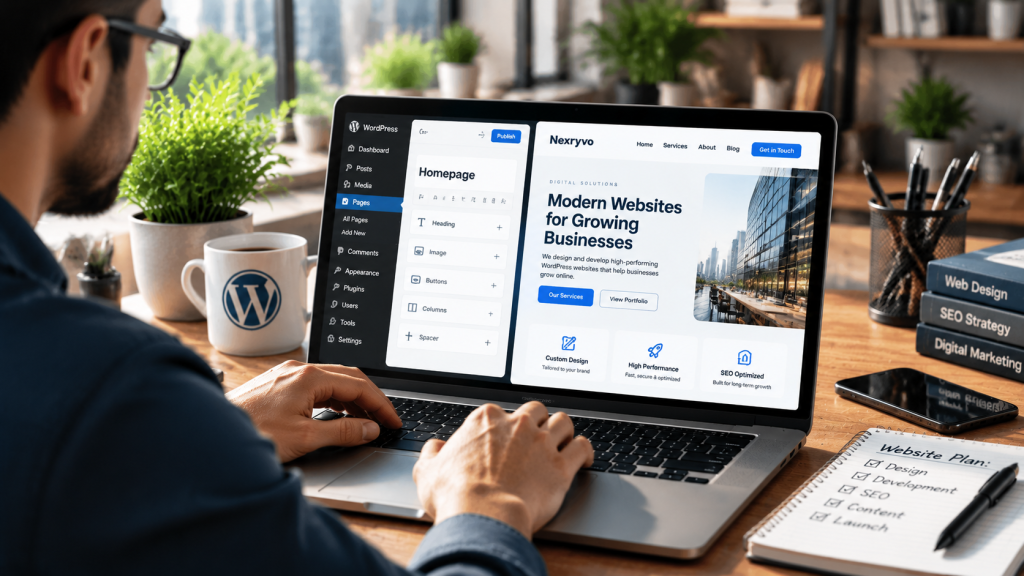
A professional website is one of the most valuable digital assets a business can have. It helps potential customers understand your services, explore your products, learn about your company, and decide whether they want to work with you.
However, building a business website involves more than purchasing a domain and choosing a template. You need the right platform, hosting, design, content structure, security, and SEO foundation.
This is where WordPress becomes a practical solution.
WordPress allows businesses to create customizable websites without building everything from scratch. Whether you operate a local service company, startup, consulting firm, or online store, you can use WordPress to establish a professional online presence.
But how do you build a WordPress business website that actually supports your business goals?
In this guide, we explain the process step by step, from choosing hosting to designing your pages, optimizing performance, and launching your website.
Why Choose WordPress for Your Business Website?
WordPress is an open-source content management system (CMS) that allows users to create and manage websites.
It is popular among businesses because it offers flexibility, customization, and access to an extensive ecosystem of themes and plugins.
Here are some reasons why businesses choose WordPress:
- Flexible customization: Build websites with different layouts, designs, and functionality.
- SEO capabilities: Use SEO plugins and technical configurations to improve search visibility.
- Content management: Publish and organize blog posts, service pages, and other website content.
- E-commerce integration: Create online stores using WooCommerce.
- Page builder support: Design pages using Elementor, Divi, or Beaver Builder.
- Scalability: Add new features as your business requirements change.
- Development flexibility: Work with freelancers, agencies, or in-house developers.
Another advantage is that WordPress is not limited to one particular industry. A real estate company, marketing agency, restaurant, consulting business, or online retailer can use the platform to create a website suited to its needs.
For businesses that want control over their website design and functionality, self-hosted WordPress.org is a strong option.
Step 1: Define Your Business Website Goals
Before purchasing hosting or selecting a theme, decide what you want your website to accomplish.
Different businesses have different website requirements.
For example:
- A consulting company may need service pages and appointment booking.
- A digital agency may need portfolio pages and lead generation forms.
- A local service provider may need contact information, customer reviews, and location details.
- An online retailer may need product pages, payment processing, and inventory management.
Start by answering these questions:
- Who is your target audience?
- What products or services do you offer?
- What information should visitors find on your website?
- What actions should visitors take?
- Which features are essential at launch?
- What functionality might you need in the future?
Having clear answers helps you avoid unnecessary development expenses and makes the website planning process easier.
Step 2: Choose a Domain Name and Reliable Hosting
Your domain name is your website’s online address. Your hosting provider stores the website files and makes them accessible to visitors.
Both are essential for launching a WordPress business website.
Choosing a Business Domain Name
A good domain name should be:
- Short and memorable
- Easy to spell and pronounce
- Relevant to your business or brand
- Professional and recognizable
- Consistent with your business identity
For US-based businesses, a .com domain is often a familiar choice, although other domain extensions can also work.
Avoid unnecessarily long names, complicated spellings, and confusing combinations of numbers or symbols.
Choosing WordPress Hosting
Your hosting provider affects website availability, performance, security, and scalability.
Common hosting options include:
| Hosting Type | Best For |
|---|---|
| Shared Hosting | Small websites with limited traffic |
| Managed WordPress Hosting | Businesses wanting specialized WordPress management |
| VPS Hosting | Websites needing more dedicated resources |
| Cloud Hosting | Businesses requiring flexible infrastructure |
| Dedicated Hosting | Larger websites with demanding resource requirements |
When comparing hosting providers, consider:
- Server performance
- Storage and bandwidth
- SSL support
- Backup options
- Security features
- Customer support
- WordPress compatibility
- Scalability options
For most small businesses, reliable shared or managed WordPress hosting can provide a suitable starting point.
Step 3: Install WordPress and Configure the Basic Settings
Once you have purchased hosting and connected your domain, the next step is installing WordPress.
Many hosting providers offer one-click WordPress installation, making the initial setup relatively straightforward.
After installation, log in to your WordPress dashboard.
You should configure several important settings before designing your website.
Essential WordPress Setup Tasks
Set your website title and tagline: Add your business name and a short description of what your company does.
Configure your website URL: Make sure your website uses HTTPS rather than an unsecured HTTP address.
Set permalink structure: Choose a clean URL structure that is easy for users and search engines to understand.
Set your timezone: Select the appropriate timezone for your business operations.
Review user permissions: Create appropriate accounts and avoid sharing administrator credentials unnecessarily.
Configure basic discussion settings: Decide whether comments are necessary for your website.
Also, check the search engine visibility setting to ensure your live website is not accidentally blocked from indexing.
Step 4: Choose the Right WordPress Theme or Design Approach
Your website design influences how visitors perceive your business.
A professional design should reflect your brand identity, provide clear navigation, and make important information easy to find.
There are two main approaches to WordPress website design.
Option 1: Use a Pre-Built WordPress Theme
A pre-built theme provides an existing website design that you can customize.
This option is useful for businesses with standard requirements and limited development budgets.
Popular lightweight themes include:
- Astra
- GeneratePress
- Kadence
When choosing a theme, check its responsiveness, update history, compatibility, documentation, and customization options.
Option 2: Build a Custom WordPress Website
A custom WordPress website is designed around your business requirements.
It allows you to create unique layouts, branded visual elements, specialized functionality, and custom user experiences.
This approach is useful for businesses that want greater design control or need features that standard themes cannot provide conveniently.
What About WordPress Page Builders?
Page builders make it easier to design and customize website pages.
Popular options include:
- Elementor
- Divi
- Beaver Builder
- Gutenberg
For example, Elementor allows developers to create custom page layouts visually, while Gutenberg provides a block-based editing experience within WordPress.
Choose the design approach based on your website requirements rather than installing multiple tools unnecessarily.
Step 5: Create the Essential Business Website Pages
Once your design foundation is ready, create the pages visitors need to understand your business.
Most professional business websites should include the following.
1. Homepage
Your homepage introduces your business and communicates what you offer.
It should clearly explain:
- Who you are
- What services or products you provide
- Who your customers are
- Why visitors should consider your business
- What action they should take next
Include a clear headline, supporting description, relevant visuals, and a strong call to action.
2. About Us Page
Use this page to explain your company’s background, expertise, mission, and values.
Avoid generic descriptions. Focus on information that helps customers understand your business and approach.
3. Services or Products Page
Explain your main services or product categories.
If your business provides multiple services, consider creating separate pages for each important offering.
This makes information easier to navigate and creates more opportunities to target relevant search queries.
4. Contact Us Page
Make it easy for visitors to contact your business.
Include relevant information such as:
- Business email
- Phone number
- Contact form
- Business address, where appropriate
- Social media links
- Business hours
5. Blog or Resources Page
A blog allows you to publish helpful information related to your industry.
You can use it to answer customer questions, explain your services, and build organic search visibility.
6. Privacy Policy and Terms Pages
Depending on your business and the information you collect, you may need privacy disclosures, terms of service, cookie notices, and other legal information.
Make sure these documents reflect your actual business practices and applicable legal requirements.
Step 6: Optimize Your Website for Search Engines
A professional WordPress business website should be built with SEO in mind from the beginning.
Search engine optimization helps search engines understand your pages and identify which searches your content may be relevant to.
Start with these essential SEO practices.
Use Search-Friendly URLs
Keep your URLs short, descriptive, and relevant to the page content.
For example:
Good URL:
example.com/wordpress-development/
Avoid unnecessary parameters and confusing URL structures where possible.
Optimize Page Titles and Meta Descriptions
Every important page should have a unique title and useful meta description.
These elements help communicate the page’s topic in search results.
Use Proper Heading Structure
Organize content using a logical heading hierarchy.
Use one clear H1 for the main page topic, followed by relevant H2 and H3 headings.
Optimize Images
Compress images before uploading them.
Use descriptive file names and relevant ALT text to help explain image content.
Build Internal Links
Connect related pages naturally.
For example, a blog article about WordPress development costs can link to your WordPress development service page.
Create an XML Sitemap
An XML sitemap helps search engines discover important website URLs.
SEO plugins can help generate and manage sitemaps.
You should also connect your website to Google Search Console to monitor indexing and search performance.
Step 7: Improve Website Speed and Mobile Responsiveness
A professional website should work smoothly across different devices.
Visitors may access your website through smartphones, tablets, laptops, and desktops. Your layouts should adapt to different screen sizes.
Important mobile optimization practices include:
- Responsive page layouts
- Readable typography
- Properly sized images
- Touch-friendly buttons
- Mobile-friendly navigation
- Easy-to-use contact forms
Website speed is equally important.
To improve WordPress performance:
- Compress and optimize images.
- Choose suitable hosting.
- Configure caching.
- Avoid unnecessary plugins.
- Reduce unused scripts and styles.
- Use efficient website themes.
- Review third-party integrations.
Google’s Core Web Vitals provide useful performance measurements.
You can test your website using Google PageSpeed Insights and prioritize improvements based on actual results.
Remember that installing a caching plugin alone does not guarantee a fast website. Performance depends on the entire website setup.
Step 8: Set Up Website Security and Backups
Website security is essential, particularly if your website collects customer information or processes payments.
WordPress provides a flexible environment, but website owners must take responsibility for maintaining a secure installation.
Follow these basic practices:
- Use strong administrator passwords.
- Enable two-factor authentication where available.
- Keep WordPress updated.
- Update themes and plugins regularly.
- Install plugins from trusted sources.
- Use appropriate user permissions.
- Configure regular backups.
- Monitor suspicious website activity.
- Use reliable hosting with suitable security protections.
Backups are particularly important.
If a website experiences a technical problem, malware infection, or accidental data loss, a recent backup can help restore the website.
For business websites, test your backup restoration process rather than assuming that a backup file will always work.
Step 9: Add Business Functionality and Integrations
A basic website may be enough when your business is starting. However, additional features can help improve operations and customer experience.
Consider the functionality your business actually needs.
| Feature | Business Benefit |
|---|---|
| Contact Forms | Collect customer inquiries |
| Appointment Booking | Schedule consultations |
| Live Chat | Support customer communication |
| CRM Integration | Organize and manage leads |
| Email Marketing | Build and communicate with an audience |
| WooCommerce | Sell products online |
| Analytics | Understand website performance |
| Customer Portal | Provide account-based services |
For example, a consulting company may benefit from appointment booking and CRM integration, while an online retailer may need WooCommerce with payment and shipping configuration.
Avoid adding every available feature.
Choose integrations that solve real business problems and fit your operational workflow.
Step 10: Test and Launch Your WordPress Business Website
Before publishing your website, perform a complete quality check.
A website may look finished but still contain broken links, incomplete forms, layout issues, or technical errors.
Use this launch checklist:
- Check every important page.
- Test navigation menus.
- Submit contact forms.
- Review mobile layouts.
- Test the website across major browsers.
- Check page loading performance.
- Verify HTTPS is working.
- Review image quality and ALT text.
- Check page titles and meta descriptions.
- Confirm important URLs are indexable.
- Test payment and booking functionality, if applicable.
- Create a complete backup.
- Remove unnecessary demo content.
After launch, monitor the website regularly.
Review analytics, search performance, customer inquiries, and technical issues to identify opportunities for improvement.
A website launch should be the beginning of an ongoing optimization process, not the end of development.
Should You Build Your WordPress Business Website Yourself or Hire a Professional?
WordPress makes website creation accessible, but building a professional business website still requires planning, design, and technical knowledge.
DIY development may be suitable if you have:
- A limited budget
- Basic website requirements
- Time to learn WordPress
- Experience managing website tools
However, professional development may be a better option when you need:
- Custom website design
- Advanced functionality
- WooCommerce development
- Third-party integrations
- Technical SEO setup
- Performance optimization
- Reliable maintenance and support
A professional developer can help avoid common setup problems and create a website around your business goals.
For example, a growing business may benefit from a custom website structure that supports dedicated service pages, lead generation, SEO, and future integrations.
The right decision depends on your technical experience, available time, budget, and project complexity.
Final Thoughts: Build a WordPress Business Website That Supports Growth
Building a professional WordPress business website requires more than selecting a theme and publishing content.
You need to plan your website structure, choose reliable hosting, create useful pages, optimize for search engines, improve performance, and maintain security.
WordPress provides the flexibility to support these requirements, whether you are launching a small business website or developing a more advanced digital platform.
The most important thing is to build around your customers and business objectives.
A well-designed website should make it easy for visitors to understand your services, trust your business, and take the next step.
If you want a professional website without dealing with every technical detail yourself, working with an experienced WordPress development team can make the process more manageable.