
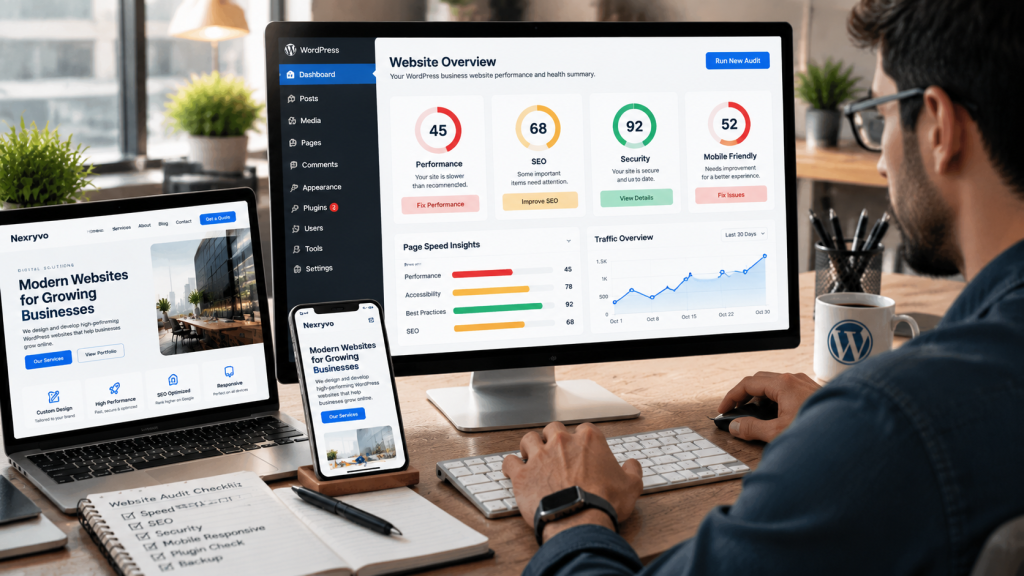
Building a WordPress website is easier than ever. With thousands of themes, plugins, and page builders available, businesses can create professional-looking websites without developing everything from scratch.
However, having a website does not automatically mean it will perform well.
Many business owners make common mistakes during website development and management that can affect website speed, security, search visibility, and customer experience. Some problems may seem minor initially but can become expensive to fix over time.
For example, installing too many plugins, choosing an unsuitable theme, ignoring website updates, or overlooking mobile responsiveness can create unnecessary technical problems.
Whether you are launching a new website or managing an existing one, understanding these issues can help you build a more reliable online presence.
In this guide, we explore 12 common WordPress website mistakes and explain how to avoid them.
1. Choosing the Wrong WordPress Theme
Your website theme influences its appearance, layout, functionality, and overall user experience.
One common mistake is choosing a theme simply because its demo looks attractive.
Some themes include unnecessary features, complicated layouts, excessive scripts, or limited customization options. These issues can make your website difficult to manage and optimize.
For example, a small consulting company does not necessarily need a theme designed for a large online magazine or complex e-commerce store.
How to avoid it:
- Choose a theme that matches your business requirements.
- Prioritize lightweight and responsive themes.
- Check the theme’s update history and documentation.
- Review compatibility with your essential plugins.
- Avoid themes that include unnecessary functionality.
- Test the theme before using it on your live website.
Popular options include Astra, GeneratePress, and Kadence. For more specialized requirements, custom WordPress development may provide greater flexibility.
2. Installing Too Many Plugins
WordPress plugins help extend website functionality, but installing too many can create unnecessary complexity.
Some plugins may introduce overlapping features, additional scripts, compatibility conflicts, or maintenance requirements.
For example, installing multiple plugins for caching, image optimization, or security without understanding their functions can create configuration conflicts.
How to avoid it:
- Install only plugins that serve a clear purpose.
- Remove unused and unnecessary plugins.
- Choose plugins from reputable developers.
- Check compatibility before updating.
- Avoid installing multiple plugins with overlapping functionality.
- Review plugin performance when troubleshooting slow pages.
Remember, plugin quantity alone does not determine website speed. Plugin quality, functionality, configuration, and server resources also matter.
3. Ignoring Mobile Responsiveness
A website may look excellent on a desktop but provide a poor experience on smartphones.
This happens when layouts, images, buttons, and navigation menus are not properly optimized for smaller screens.
Common mobile design problems include:
- Text that is difficult to read
- Buttons that are too small
- Images extending beyond the screen
- Overlapping page elements
- Difficult navigation menus
- Contact forms that are hard to complete
These issues can frustrate visitors and make it harder for them to contact your business.
How to avoid it:
- Use responsive website layouts.
- Test pages on different screen sizes.
- Optimize typography for mobile devices.
- Make buttons easy to tap.
- Check navigation and contact forms.
- Avoid unnecessary horizontal scrolling.
Google also uses the mobile version of website content for indexing through its mobile-first indexing approach.
A professional WordPress business website should provide a consistent experience across smartphones, tablets, and desktops.
4. Ignoring Website Speed Optimization
Website speed affects how visitors experience your business online.
If your website takes too long to load, visitors may leave before exploring your services or products.
Several factors can contribute to slow WordPress performance:
- Oversized images
- Poor hosting infrastructure
- Unnecessary plugins
- Inefficient themes
- Excessive JavaScript and CSS
- Poor caching configuration
- Unoptimized third-party scripts
How to avoid it:
- Compress images before uploading them.
- Choose hosting that suits your website requirements.
- Configure suitable caching.
- Reduce unnecessary scripts and styles.
- Remove unused plugins.
- Monitor website performance regularly.
Use Google PageSpeed Insights to evaluate important website pages.
Pay attention to Core Web Vitals, particularly Largest Contentful Paint (LCP), Interaction to Next Paint (INP), and Cumulative Layout Shift (CLS).
If your website consistently performs poorly, consider professional website speed optimization rather than installing more performance plugins without a clear strategy.
5. Neglecting WordPress Security
Website security is essential for every business, particularly when your website collects customer information or processes payments.
A common mistake is assuming that WordPress is automatically secure without ongoing maintenance.
Outdated software, weak passwords, vulnerable plugins, and unnecessary administrator accounts can increase security risks.
How to avoid it:
- Keep WordPress core updated.
- Update themes and plugins regularly.
- Use strong, unique passwords.
- Enable two-factor authentication.
- Limit administrator permissions.
- Install trusted security tools.
- Create regular backups.
- Use HTTPS with a valid SSL/TLS certificate.
Security should be treated as an ongoing responsibility, not a one-time setup task.
6. Using Poor Website Structure and Navigation
Visitors should be able to find important information without searching through multiple pages.
However, many business websites have confusing navigation, poorly organized service pages, and inconsistent page structures.
For example, a digital agency offering website development, SEO, and website maintenance should make these services easy to discover.
Placing every service on one crowded page can make it difficult for visitors to understand individual offerings.
How to avoid it:
- Create clear navigation menus.
- Organize pages into logical categories.
- Use descriptive page names.
- Create dedicated pages for important services.
- Add internal links between related pages.
- Keep the website structure simple.
A well-organized website improves usability and helps search engines understand the relationship between your pages.
7. Publishing Content Without Proper SEO Optimization
Publishing blog articles and service pages does not automatically make your website SEO-friendly.
Many businesses overlook important optimization elements when uploading content.
Common SEO mistakes include:
- Missing or duplicate page titles
- Poor meta descriptions
- Incorrect heading hierarchy
- Keyword stuffing
- Missing image ALT text
- Broken internal links
- Duplicate content
- Poor URL structures
How to avoid it:
- Research relevant keywords before writing.
- Create unique page titles and meta descriptions.
- Use logical H1, H2, and H3 headings.
- Include relevant internal links.
- Write descriptive image ALT text.
- Use clear and readable URLs.
- Create useful content that addresses search intent.
SEO plugins such as Rank Math and Yoast SEO can help manage important on-page elements.
However, installing an SEO plugin alone does not guarantee better rankings. Content quality, technical SEO, competition, and website authority also matter.
8. Using Poor-Quality Images and Media Files
Images make your website more engaging, but poorly optimized media files can negatively affect performance and presentation.
Common mistakes include uploading extremely large images, using irrelevant stock photography, and ignoring image dimensions.
For example, uploading a high-resolution photograph directly from a camera when a smaller optimized version would work can unnecessarily increase page weight.
How to avoid it:
- Resize images according to their display dimensions.
- Compress images before uploading.
- Use modern formats such as WebP or AVIF where supported.
- Write descriptive file names.
- Add relevant ALT text.
- Use responsive image delivery.
- Avoid unnecessary background videos and animations.
Also, make sure your images are relevant to the content. Professional and consistent visuals help create a more trustworthy brand experience.
9. Forgetting Regular Website Backups
Website backups are essential for protecting business information and reducing recovery problems.
Imagine spending months developing your website and then losing important content because of a server failure, accidental deletion, or security incident.
Without a reliable backup, restoring the website may become difficult.
How to avoid it:
- Schedule automatic backups.
- Back up both website files and databases.
- Store backups separately from your hosting environment.
- Keep multiple recovery points.
- Check backup completion regularly.
- Test the restoration process.
The backup frequency should depend on how frequently your website changes.
For example, an e-commerce store receiving daily orders may require more frequent backups than a small business website with occasional content updates.
10. Ignoring Website Analytics and Tracking
Another common mistake is launching a website without understanding how visitors interact with it.
Without analytics, you may not know which pages perform well, where visitors come from, or whether your website generates meaningful business inquiries.
For example, your homepage may receive considerable traffic, but your service pages may generate very few contact requests.
Analytics can help identify where improvements are needed.
How to avoid it:
Set up appropriate tracking tools, such as:
- Google Analytics 4
- Google Search Console
- Google Tag Manager, where needed
Track meaningful business activities, including:
- Contact form submissions
- Quote requests
- Appointment bookings
- Product purchases
- Important CTA clicks
- Newsletter registrations
Use this information to improve website content, navigation, and conversion paths.
Make sure your analytics setup follows applicable privacy and consent requirements.
11. Using Weak Calls to Action
Your website should guide visitors toward a meaningful next step.
However, some business websites provide plenty of information without clearly telling visitors what to do.
A visitor might understand your services but still leave because they cannot find an obvious way to contact you.
Common CTA mistakes include:
- Vague button text
- Poor button placement
- Too many competing CTAs
- Low-contrast buttons
- Missing contact options
- Complicated inquiry forms
How to avoid it:
Use clear and relevant calls to action, such as:
- Request a Free Quote
- Contact Our Team
- Book a Consultation
- Explore Our Services
- Get Started
- Shop Now
Place important CTAs where they naturally fit within the visitor’s journey.
For example, a WordPress development service page should include a clear inquiry option after explaining the service and its benefits.
The goal is to make the next step obvious without overwhelming visitors.
12. Neglecting Regular Website Maintenance
Launching a WordPress website is not the end of the development process.
WordPress core, themes, and plugins receive updates over time. Your website also needs regular checks to ensure that important functionality continues working correctly.
Ignoring maintenance can lead to outdated software, broken features, security vulnerabilities, and compatibility problems.
How to avoid it:
- Review available WordPress updates.
- Update themes and plugins carefully.
- Check important website forms.
- Monitor website uptime.
- Review website security.
- Test backups.
- Check broken links.
- Monitor website performance.
- Review important pages periodically.
For business-critical websites, consider using a staging environment to test significant updates before applying them to the live website.
If you do not have the time or technical experience to manage these responsibilities, professional WordPress maintenance services can help keep your website properly maintained.
WordPress Website Mistakes: Quick Summary
| Common Mistake | Recommended Solution |
|---|---|
| Choosing the wrong theme | Select a lightweight, suitable theme |
| Installing too many plugins | Keep only necessary plugins |
| Ignoring mobile responsiveness | Test layouts across devices |
| Neglecting website speed | Optimize images, scripts, and hosting |
| Ignoring security | Update software and configure protection |
| Poor navigation | Organize pages logically |
| Weak SEO | Improve on-page and technical SEO |
| Large image files | Compress and optimize media |
| No regular backups | Schedule and test backups |
| Missing analytics | Monitor traffic and conversions |
| Weak CTAs | Use clear action-oriented buttons |
| No maintenance | Schedule regular website reviews |
When Should You Consider Professional WordPress Development?
Some website problems can be fixed through simple updates. Others may require more advanced technical work.
For example, changing button colors or replacing outdated images is relatively straightforward.
However, recurring plugin conflicts, poor website architecture, serious performance issues, and complicated integrations may require professional development.
Consider working with a WordPress development professional when:
- Your website needs extensive customization.
- Your existing design no longer supports your brand.
- Technical issues keep returning.
- Your website performs poorly despite basic optimization.
- You need advanced integrations.
- You want to improve SEO and user experience together.
- You need reliable ongoing maintenance.
A professional development team can evaluate your existing website, identify technical problems, and recommend practical improvements based on your business requirements.
At Nexryvo, website development, redesign, speed optimization, and WordPress maintenance are designed to help businesses build and maintain a stronger online presence.
Final Thoughts: Build a Better WordPress Business Website
A successful WordPress business website requires more than attractive design.
It needs a reliable technical foundation, clear navigation, useful content, strong security, good performance, and ongoing maintenance.
Avoiding these 12 common mistakes can help you create a website that provides a better experience for visitors while supporting your business goals.
Start by reviewing your existing website and identifying the problems that affect customers most. Prioritize important improvements rather than making unnecessary changes.
Whether you are building a new website or improving an existing one, thoughtful development and regular maintenance can make a meaningful difference to your online presence.