
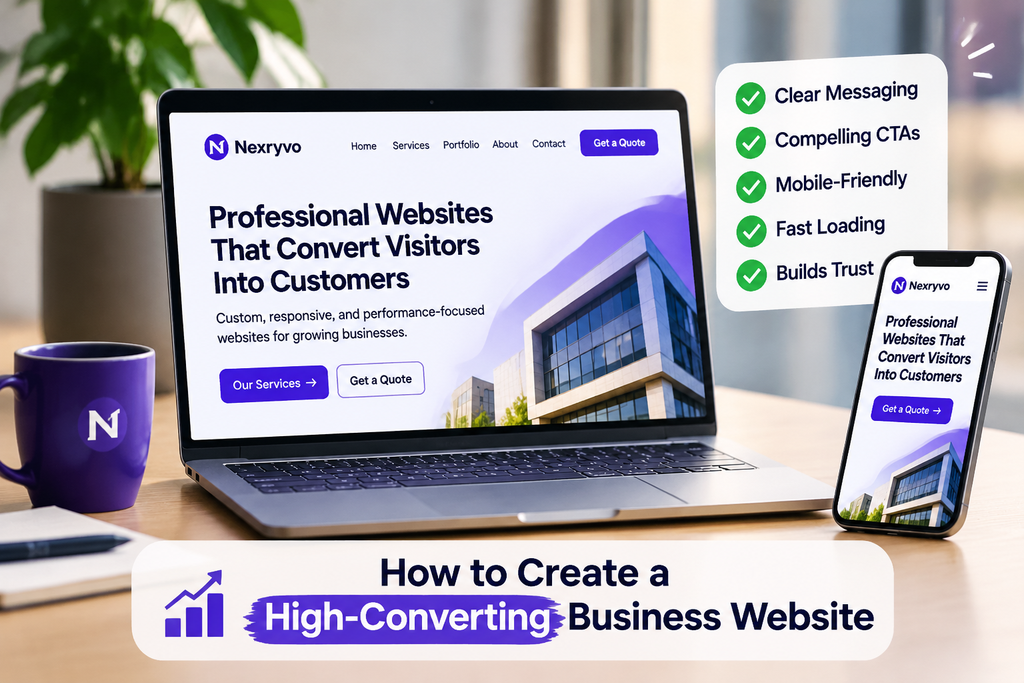
Getting visitors to your website is great. But what happens when people visit, look around for a few seconds, and leave without contacting you or making a purchase?
It’s frustrating, especially when you’ve invested time and money into building your website.
You might have a professional design, attractive images, and detailed information about your services. Yet somehow, visitors aren’t turning into customers.
The problem isn’t always the amount of traffic you’re getting. Sometimes, it’s the way your website communicates with visitors and guides them toward taking action.
Think about it from a customer’s perspective. When someone visits your website, they want to know what you offer, whether your business can help them, and how they can get started. If finding those answers takes too much effort, they may simply look elsewhere.
That’s why creating a high-converting website requires more than choosing an attractive design. You need to think about your visitors, understand what they’re looking for, and make the entire experience as straightforward as possible.
Let’s look at what makes a business website effective and how you can improve yours.
What Is a High-Converting Website?
A high-converting website is simply a website that encourages visitors to take meaningful actions.
What counts as a conversion depends on your business.
For example:
- A service-based business might want visitors to request a quote.
- An online store wants customers to complete purchases.
- A consultant might encourage visitors to book a consultation.
- A startup might focus on collecting email subscribers or demo requests.
The important thing is knowing what you want visitors to do.
A good-looking website is certainly helpful, but appearance alone doesn’t bring in customers. Your website also needs clear messaging, useful content, simple navigation, and an easy way for people to get in touch.
Imagine someone landing on your homepage for the first time. They shouldn’t have to visit five different pages just to understand what your company does.
The easier you make things for visitors, the better their experience is likely to be.
8 Essential Elements of a High-Converting Business Website
You don’t need complicated features or an expensive design to build a website that performs well. In most cases, getting the basics right makes a much bigger difference.
Here are eight things worth paying attention to.
1. Start With a Homepage That Explains What You Do
Your homepage needs to answer one important question: What does your business actually offer?
It sounds obvious, but many business websites don’t do this particularly well.
You’ll often see headlines such as “Welcome to Our Website” or “We Deliver Excellence.” They may look professional, but they don’t tell visitors anything specific about the business.
Instead, write a headline that explains what you offer and who you help.
For example, a web development agency could say:
“Professional WordPress Websites Designed to Help Your Business Grow.”
A visitor immediately has a better idea of what the company does.
Follow that headline with a short explanation of your services and a button that encourages visitors to explore further or get in touch.
You don’t need to squeeze your entire business story into the homepage. Give people the information they need to understand your offer and decide whether they want to know more.
2. Make Your Call-to-Action Buttons Easy to Find
Have you ever visited a website, liked what you saw, but struggled to figure out how to contact the company?
That’s exactly what you want to avoid.
A call to action (CTA) gives visitors a clear next step. It could be a button, a link, or a short message encouraging them to do something.
Depending on your business, you might use:
- Get a Free Quote
- Book a Consultation
- Contact Our Team
- Shop Now
- Request a Callback
- View Our Services
Think about what makes sense for your customers rather than choosing button text just because it sounds catchy.
For example, if you run a website design agency, a button saying “Get a Website Quote” is much more specific than a generic “Learn More.”
Placement matters as well. Put your main CTA somewhere visitors can easily find it, and consider adding another one after explaining your services or benefits.
Just don’t turn every section into a sales pitch. Give visitors enough useful information to make a decision before asking them to take action.
3. Keep Your Website Navigation Simple
Nobody wants to spend several minutes searching for basic information.
If a potential customer wants to check your services, see examples of your work, or find your contact details, those pages should be easy to reach.
A simple navigation menu is usually enough for most small business websites.
You might include:
- Home
- About
- Services
- Portfolio
- Blog
- Contact
If you offer several services, give each important service its own page.
For example, a web development agency could create separate pages for WordPress development, custom website design, WooCommerce development, and website maintenance.
This is better than putting everything on one crowded page. Visitors can find the service they’re interested in without having to read through unrelated information.
It also gives you more opportunities to create focused pages for relevant Google searches.
4. Don’t Overlook the Mobile Experience
Here’s something worth remembering: your website might look fantastic on your desktop, but that doesn’t mean it works just as well on a smartphone.
Visitors should be able to browse your website comfortably regardless of the device they’re using.
A responsive website automatically adjusts its layout to different screen sizes. Text stays readable, images fit properly, and navigation becomes easier to use.
When checking your mobile website, pay attention to a few details:
- Are the buttons large enough to tap comfortably?
- Can visitors read the text without zooming in?
- Is the navigation menu easy to use?
- Do contact forms work properly?
- Are images displayed without cutting off important content?
- Can customers complete the checkout process?
Don’t stop after checking your homepage. Go through your service pages, contact forms, and other important sections too.
A mobile-friendly design should make it just as easy to contact your business or complete a purchase on a phone as it is on a computer.
5. Make Sure Your Website Loads Quickly
People are generally impatient when browsing the internet. If your website takes too long to load, some visitors won’t stick around to see what’s on it.
A slow website can also make everyday tasks frustrating, especially when someone is trying to browse products, fill out a form, or move between pages.
Fortunately, there are several ways to improve website performance.
Start with the basics:
- Compress images before uploading them.
- Use WebP images where appropriate.
- Remove plugins and scripts you no longer need.
- Choose reliable website hosting.
- Enable suitable caching.
- Avoid unnecessary animations and heavy design elements.
If you’re using WordPress, take a look at your installed plugins. Having too many plugins isn’t automatically a problem, but unnecessary or poorly optimized ones can affect performance.
You can also use Google PageSpeed Insights to check your website and see where improvements may be needed.
A beautiful website is important, but it shouldn’t come at the expense of a smooth browsing experience.
6. Give Visitors Reasons to Trust Your Business
Think about the last time you considered buying something from a company you hadn’t used before.
You probably wanted to know a little more about the business before spending your money.
Your website visitors are no different.
They want to feel comfortable with the company they’re considering, especially when the service involves a significant investment.
This is where trust-building content becomes important.
Depending on your business, consider including:
- Genuine customer reviews and testimonials.
- Examples of previous projects.
- Clear descriptions of your services.
- Your business contact information.
- An About page explaining who you are.
- Relevant qualifications or certifications.
For example, if you offer website development services, showing websites you’ve actually built can help visitors understand your experience and the type of work you do.
Real examples are often more convincing than simply writing that your company provides excellent services.
One important thing: keep your testimonials and portfolio genuine. Don’t add made-up reviews or projects just to make your website look more impressive.
7. Create Separate Landing Pages for Important Services
Imagine someone searching Google for “WooCommerce website development.”
They find your website, click through, and expect to learn about building an online store.
But instead, they land on your homepage, where you talk about several unrelated services.
Now they have to search around to find what they originally wanted.
This is where dedicated landing pages can help.
A separate page for each major service allows you to explain exactly what you offer and why someone might need it.
For example, a WooCommerce landing page could include:
- A headline explaining your WooCommerce service.
- Common problems faced by online store owners.
- How your development service can help.
- Important features and functionality.
- Relevant examples of previous work.
- Answers to common questions.
- A clear contact or quote request button.
The same approach works for paid advertising.
If someone clicks an advertisement about website redesign, send them to a page specifically about redesign services rather than making them navigate through your general homepage.
The experience feels more relevant, and visitors can find the information they came for.
8. Pay Attention to What Visitors Actually Do
You can spend hours redesigning your website, changing buttons, and rewriting headlines. But how do you know whether any of those changes are helping?
You need to look at what visitors are actually doing.
Tools such as Google Analytics 4 and Google Search Console can help you understand different aspects of your website’s performance.
For example, you can look at:
- Which pages receive the most traffic.
- Where visitors are coming from.
- Which pages generate inquiries.
- What people search for before visiting your website.
- Whether visitors complete important actions.
It’s also worth tracking specific conversions, such as contact form submissions, purchases, and appointment bookings.
Don’t get too caught up in visitor numbers alone.
For a small business, 100 visitors who are genuinely interested in your services may be more valuable than thousands of visitors who have no intention of becoming customers.
Pay attention to the quality of your traffic and the actions people take once they arrive.
Common Website Design Mistakes That Can Hurt Conversions
Sometimes, the problem isn’t that your website needs more features. It’s that a few basic things are getting in the way.
Here are some mistakes to watch out for:
| Common mistake | What happens |
|---|---|
| Unclear homepage headline | Visitors don’t understand your offer |
| Too many menu options | People struggle to find information |
| Hidden contact buttons | Interested customers may not get in touch |
| Slow loading pages | Visitors may leave before the page loads |
| Poor mobile layout | Smartphone users have a frustrating experience |
| Missing business information | Visitors have fewer reasons to trust you |
| Too much unnecessary content | Important details become difficult to find |
| Weak calls to action | Visitors aren’t sure what to do next |
You don’t have to fix everything immediately.
Start with the problems that are most likely to affect your customers. For example, making your contact button easier to find could be more useful than completely changing your website’s color scheme.
How to Improve Your Existing Website Without Starting Over
If you already have a business website, don’t assume you need a complete redesign.
Take some time to browse it as if you were a potential customer.
Visit your homepage. Open your service pages. Try submitting your contact form. Check how everything looks on your phone.
Then ask yourself:
- Can someone understand what my business does within a few seconds?
- Is it clear how to contact me or purchase my products?
- Can visitors find important information easily?
- Does everything work properly on mobile devices?
- Are my pages loading without unnecessary delays?
- Have I included enough genuine information to build trust?
Once you’ve identified the problems, start making improvements.
For example, you could replace a vague homepage headline with something more specific, shorten a lengthy contact form, or make your main CTA more visible.
You can also experiment with different headlines or button wording and compare the results.
Where possible, change one important element at a time. That makes it easier to understand which improvements are actually making a difference.
You might discover that your website doesn’t need a complete makeover. It just needs a few thoughtful adjustments.
Final Thoughts: Build a High-Converting Website Around Your Customers
Creating a high-converting website isn’t about adding flashy animations, filling every page with buttons, or following every new design trend.
It’s about making things easier for the people visiting your website.
They should be able to understand what you offer, find the information they need, and contact your business without unnecessary frustration.
Start with a clear homepage message. Keep your navigation simple, make sure your website works on mobile devices, and give visitors genuine reasons to trust your business.
Then pay attention to how people use your website and make improvements based on what you learn.
Remember, your website isn’t something you build once and forget about. As your business grows, your services change, and your customers’ needs evolve, your website should evolve too.
A thoughtful design and a good user experience can give your business a stronger foundation for attracting leads and generating sales.
Need Help Creating a Website That Brings in More Customers?
Your website should do more than make your business look professional. It should help visitors understand your services and make it easy for them to get in touch.
At Nexryvo, we help businesses create modern, responsive, and conversion-focused websites built around their goals.
Whether you’re starting with a new WordPress website, planning a custom design, building a landing page, or improving an existing website, we can help you find the right solution.
Ready to make more of your online presence? Visit Nexryvo and get in touch with our team to discuss your website project.