
If you’re building a WordPress website, there’s a good chance you’ve heard of Elementor. It’s one of the most widely used visual page builders, making it easier to create websites without writing code.
But once you start exploring Elementor, you’ll probably face a familiar question: Should you stick with Elementor Free or upgrade to Elementor Pro?
It’s a reasonable question, especially if you’re a small business owner trying to manage your website budget.
Elementor Free already offers useful design tools, a drag-and-drop editor, and responsive layouts. For some websites, that’s more than enough.
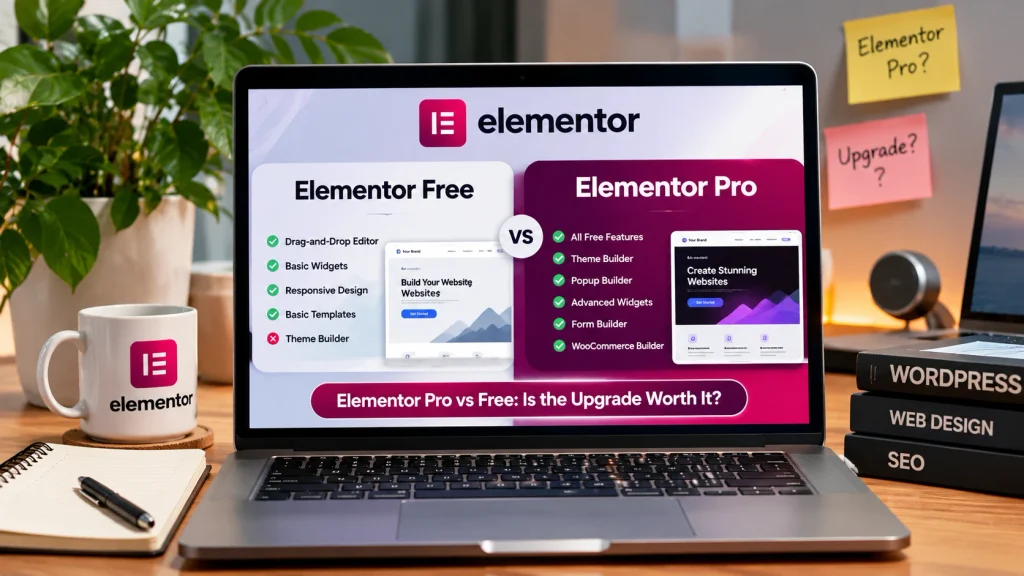
Elementor Pro adds advanced features such as Theme Builder, premium widgets, contact forms, and additional design options. Higher-tier plans also include features such as Popup Builder and WooCommerce Builder.
So, when comparing Elementor Pro vs Free, is paying for the premium version actually worth it?
The answer depends on what you’re building, how much customization you need, and whether the additional features will make managing your website easier.
Let’s break down the differences so you can make a confident decision.
What Is Elementor Free?
Elementor Free is the no-cost version of Elementor’s visual website builder for WordPress.
It allows you to create and customize website pages using a drag-and-drop interface. Instead of writing HTML or CSS, you can add design elements directly to your pages and adjust how they look.
For example, imagine you’re starting a small photography business.
You need a homepage, an About page, a portfolio, and a contact page. With Elementor Free and a suitable WordPress theme, you can build those pages without investing in a premium page builder.
The free version includes many of the essential tools needed to create a clean, professional website.
What Can You Do With Elementor Free?
Some of its useful features include:
- Visual drag-and-drop page editing
- Basic widgets such as headings, images, and buttons
- Responsive design controls
- Background and typography customization
- Layout containers and spacing controls
- Basic website templates
- Compatibility with WordPress themes
- Support for compatible WordPress plugins
Elementor Free doesn’t impose a specific limit on how many pages you can build.
That means you can create several service pages, publish blog posts through WordPress, and expand your website as needed.
Of course, you’ll still need website hosting and a domain name.
For many small business websites, Elementor Free provides a practical starting point.
What Is Elementor Pro?
Elementor Pro is the paid version of Elementor that adds more advanced website design and customization features.
It works alongside the free Elementor plugin and gives you access to additional tools.
For example, Elementor Pro allows you to create custom website headers, footers, and other templates using its Theme Builder.
It also includes premium design widgets and form-building capabilities.
More advanced subscription plans provide features such as Popup Builder, advanced integrations, and WooCommerce design customization.
Imagine you run a consulting business and want a custom website with unique service page layouts, branded inquiry forms, and a consistent design across every page.
Elementor Pro may make those tasks easier without requiring several separate design plugins.
However, not every feature is available in every Elementor Pro plan. It’s important to check the plan details before purchasing.
Elementor Pro vs Free: Quick Comparison
Before diving into the details, here’s a simple comparison of the two versions.
| Feature | Elementor Free | Elementor Pro |
|---|---|---|
| Drag-and-drop editor | Yes | Yes |
| Basic design widgets | Yes | Yes |
| Responsive design | Yes | Yes |
| Premium widgets | No | Yes |
| Theme Builder | No | Yes |
| Built-in Form widget | No | Yes |
| Popup Builder | No | Selected paid plans |
| Custom CSS features | Limited | Selected paid plans |
| WooCommerce Builder | No | Selected paid plans |
| Advanced integrations | Limited | Depends on plan |
| Subscription required | No | Yes |
Both versions can be used to create attractive WordPress websites.
The real difference becomes clear when you look at the features your business actually needs.
1. Elementor Pro vs Free: Design Features
One of the biggest reasons people choose Elementor is its visual editing experience.
You can build pages, move elements around, and see design changes without constantly switching between an editor and a website preview.
Both Elementor Free and Pro use this familiar interface.
The difference is how many design tools you have available.
Designing With Elementor Free
Elementor Free provides the basics for creating website pages.
You can add headings, images, buttons, icons, and other elements, then customize colors, spacing, and typography.
Let’s say you own a local cleaning business.
Your homepage might include a short introduction, service descriptions, photographs, customer reviews, and a button encouraging visitors to request a quote.
You can create that kind of layout with Elementor Free.
You don’t necessarily need advanced widgets to build a useful business website.
Designing With Elementor Pro
Elementor Pro expands your design options.
It provides premium widgets and additional features that can help you create more customized layouts.
Depending on your subscription, you may have access to advanced content displays, portfolio elements, and additional styling controls.
These features become helpful when you want to create something beyond a straightforward page layout.
Which Is Better for Design?
For basic website designs, Elementor Free is often enough.
Elementor Pro becomes more valuable when you need advanced customization or want to reduce your dependence on additional plugins.
The important thing is to choose features that improve your website rather than adding complexity just because you can.
2. Theme Builder: A Major Advantage of Elementor Pro
One of the most useful Elementor Pro features is Theme Builder.
With Elementor Free, your WordPress theme usually controls the appearance of your website’s header, footer, blog posts, and other site-wide areas.
You can customize individual page content, but changing those global elements often depends on your theme’s available settings.
Elementor Pro gives you more direct control.
What Can You Do With Theme Builder?
Theme Builder allows you to create custom templates for different parts of your website.
For example, you can design:
- Custom website headers
- Custom footers
- Blog post templates
- Blog archive layouts
- Single-page templates
- Other theme-related layouts
This is particularly useful when you want a consistent design across a larger website.
Imagine you own a real estate business with several property listings.
Instead of manually designing each page, you can create reusable layouts that maintain a consistent appearance.
That saves time and makes future updates easier.
Is Theme Builder Worth Paying For?
If your WordPress theme already gives you the design controls you need, Theme Builder may not be essential.
But if you want to customize more of your website using Elementor’s visual editor, it’s a strong reason to consider upgrading.
3. Elementor Pro Forms: Do You Need Them?
Almost every business website needs a way for customers to get in touch.
Whether you’re a plumber, consultant, designer, or online service provider, a reliable contact form can make communication easier.
Elementor Free doesn’t include Elementor’s built-in Form widget.
However, you can still create forms using compatible WordPress plugins.
What Does Elementor Pro Offer?
Elementor Pro includes a Form widget that lets you design forms directly inside the Elementor editor.
For example, you might want a quote request form where customers can enter their name, email address, project details, and preferred service.
Instead of styling a form through a separate plugin, you can design it within Elementor.
Higher-tier plans also provide additional form-related features and integrations.
Should You Upgrade Just for Contact Forms?
Not necessarily.
If all you need is a simple contact form, a free or affordable WordPress form plugin may be enough.
Elementor Pro becomes more appealing when you want integrated form design or advanced marketing capabilities.
Before upgrading, check whether the specific form features you need are included in your chosen plan.
4. Popup Builder and Marketing Features
If you use your website to generate leads or promote special offers, Elementor Pro’s marketing features may interest you.
One example is Popup Builder.
Popups can help display announcements, encourage newsletter signups, or highlight a relevant promotion.
For example, an online clothing store might use a popup to introduce a seasonal discount.
A consulting business might use one to encourage visitors to book a consultation.
What Can Popup Builder Do?
Depending on your Elementor Pro plan, you can create:
- Newsletter signup popups
- Promotional offers
- Important announcements
- Contact form popups
- Exit-intent messages
- Popups based on visitor actions
You can also control where and when certain popups appear.
However, popups should be used carefully.
If visitors constantly encounter interruptions, the experience can become frustrating.
Use popups when they provide something useful rather than simply trying to attract attention.
Is Pro Worth It for Marketing?
If lead generation and email marketing are important parts of your website strategy, a paid Elementor plan with these features may be worthwhile.
If you only need a simple informational website, you probably won’t use them enough to justify the extra cost.
5. Elementor Pro vs Free for WooCommerce
If you’re planning to sell products online, you may be wondering whether Elementor Pro is necessary for WooCommerce.
The good news is that WooCommerce can work with Elementor Free.
You don’t need Elementor Pro simply to create an online store.
However, the paid version offers additional design possibilities.
WooCommerce With Elementor Free
With Elementor Free, you can create general website pages while WooCommerce and your WordPress theme handle important store functionality.
This includes product listings, shopping carts, and checkout pages.
For a small store with straightforward requirements, that may be perfectly fine.
WooCommerce With Elementor Pro
Higher-tier Elementor Pro plans provide WooCommerce Builder features.
These give you more control over the appearance of different store pages and product layouts.
For example, you may want a custom product page that includes a branded layout, product images, descriptions, and purchase options.
Elementor Pro can help you create a more customized shopping experience.
Is Elementor Pro Worth It for an Online Store?
It depends on how much design control you need.
If you’re happy with your theme’s WooCommerce layouts, upgrading may not be necessary.
If you want customized product templates and more advanced store designs, an Elementor Pro plan that includes WooCommerce Builder may be a good investment.
Just remember that design is only one part of running an online store.
Payment processing, shipping, security, and checkout functionality are equally important.
6. Elementor Pro vs Free: Website Speed and SEO
A common misconception is that upgrading to Elementor Pro automatically improves website speed or search rankings.
That’s not necessarily true.
Both versions can be used to create websites with good performance.
What matters is how the website is built and optimized.
Does Elementor Pro Make Your Website Faster?
Not automatically.
Website speed depends on several factors, including:
- Hosting quality
- Image optimization
- Number of installed plugins
- Page layout complexity
- Fonts and animations
- Caching configuration
- Third-party scripts
A simple website built with Elementor Free may load quickly.
A complicated Elementor Pro website filled with unnecessary animations and scripts may be slower.
The opposite can also happen.
Rather than choosing a plan based on speed claims, focus on good development practices and test your website using Google PageSpeed Insights.
Is Elementor Pro Better for SEO?
Elementor Pro doesn’t guarantee higher Google rankings.
Both versions can work with WordPress SEO plugins such as Yoast SEO and Rank Math.
You can also optimize content, create logical headings, add internal links, and improve website navigation with either version.
Search engine optimization depends on content quality, website structure, technical performance, and many other factors.
If your main goal is better SEO, upgrading solely for that reason may not be the best use of your budget.
7. Elementor Pro Pricing: What Should You Expect?
Elementor Pro uses a subscription-based pricing model.
The company offers several plans designed for different website requirements.
These include options such as Essential, Advanced Solo, Advanced, Expert, and Agency, although available plans and features can change.
The right choice depends on how many websites you manage and which premium features you need.
For example, the Essential plan may suit a business that needs Theme Builder and standard Pro design tools.
A higher-tier plan may be necessary if you want WooCommerce Builder, Popup Builder, or more advanced functionality.
Before purchasing, review Elementor’s official pricing page to check current subscription costs, renewal terms, and feature availability.
Remember the Other Website Costs
Even when using Elementor Free, your website may still require spending on:
- Domain registration
- Website hosting
- Premium plugins
- Security and backups
- Professional development
- Ongoing maintenance
It’s important to look at your complete website budget rather than focusing only on the page builder’s price.
8. When Is Elementor Free Enough?
You don’t need to upgrade simply because Elementor Pro offers more features.
For many businesses, the free version can handle the essential design work.
Elementor Free may be enough if you’re:
- Building your first business website
- Creating a simple portfolio
- Starting a personal blog
- Designing basic landing pages
- Working with a limited budget
- Using your WordPress theme for site-wide layouts
- Comfortable using separate plugins for basic forms
For example, a freelance photographer who needs a homepage, gallery, About page, and contact information may be able to build everything with Elementor Free.
There is no need to pay for tools you won’t use.
9. When Should You Upgrade to Elementor Pro?
Elementor Pro becomes more useful when your website requires advanced design capabilities or additional functionality.
Consider upgrading if you need custom headers and footers, premium widgets, reusable templates, built-in form design, or more advanced website styling.
Higher-tier plans may also be useful for businesses that want marketing popups, WooCommerce customization, and additional integrations.
Before upgrading, make a list of the features your website genuinely needs.
Then compare that list with Elementor’s available subscription plans.
This helps you avoid paying for a package that doesn’t include the features you expected—or spending money on tools that won’t benefit your website.
10. Elementor Pro vs Free: Which Is Better for Small Businesses?
For many small business owners, Elementor Free is a sensible place to start.
It gives you the opportunity to learn the editor, build important pages, and understand what your website requires.
If you’re launching a straightforward service website, you may not need Elementor Pro immediately.
But as your website grows, your needs may change.
You might want custom templates, advanced contact forms, or more control over your WooCommerce store.
At that point, upgrading can become a practical decision rather than an unnecessary expense.
The question isn’t whether Elementor Pro has more features. It clearly does.
The question is whether those features solve problems for your business.
If the answer is yes, the upgrade may be worthwhile.
If not, Elementor Free can continue serving your needs.
Frequently Asked Questions
1. Is Elementor Free enough for a business website?
Yes, Elementor Free can be enough for a small business website with basic pages, images, service information, and simple layouts. You can also use compatible WordPress plugins for additional functionality.
2. Is Elementor Pro worth buying in 2026?
Elementor Pro can be worth purchasing if you need advanced design tools, Theme Builder, integrated forms, or features included in higher-tier plans. If your website only requires basic page designs, Elementor Free may be sufficient.
3. Can I upgrade from Elementor Free to Pro without rebuilding my website?
Yes. Elementor Pro works alongside the free Elementor plugin. You can upgrade an existing Elementor website and begin using premium features without rebuilding your original pages. It’s still wise to back up your website before making significant changes.
4. Does Elementor Pro improve website speed?
Not automatically. Website speed depends on hosting, page design, images, plugins, and optimization. Both Elementor Free and Pro can support good performance when used properly.
5. What happens if I cancel Elementor Pro?
Your website generally remains online, but you may lose access to premium updates, support, and subscription-dependent features. Existing designs may continue to display, although ongoing editing and compatibility can become more complicated without an active license.
Final Thoughts: Is Elementor Pro Really Worth It?
When comparing Elementor Pro vs Free, the best choice depends on what your website needs today and what you expect from it in the future.
Elementor Free is a capable option for creating professional-looking WordPress pages without paying for a premium page builder.
Elementor Pro takes things further with advanced design tools, website-wide templates, and additional functionality that can be valuable for growing businesses and online stores.
But paying for Pro doesn’t automatically make a website better.
A successful website still needs clear content, thoughtful design, mobile responsiveness, reliable functionality, and ongoing maintenance.
If you’re just getting started, there’s nothing wrong with using Elementor Free.
And if you eventually need more advanced features, you can upgrade when the benefits make sense for your business.
The goal is to build a website that works well for your customers, not simply to use the most expensive tools.
Need Help Building Your Elementor Website?
Whether you’re using Elementor Free or planning to upgrade to Elementor Pro, having a well-designed website can make a real difference in how customers experience your business.
At Nexryvo, we help small businesses, startups, and entrepreneurs build professional, responsive, and performance-focused WordPress websites.
From Elementor website design and custom layouts to WooCommerce development, website redesign, and ongoing optimization, we focus on creating practical websites that support your business goals.
If you’re unsure which Elementor features you need, we can help you explore the options and choose an approach that fits your project.