
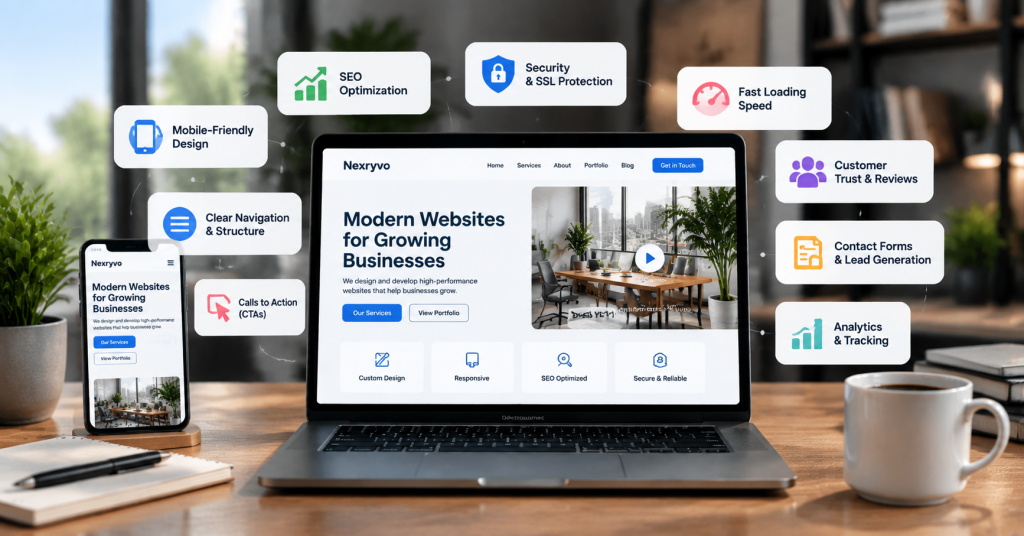
Your website is often the first place potential customers visit when they want to learn about your business. Before contacting you, requesting a quote, or making a purchase, visitors usually want to understand what you offer and whether they can trust your company.
However, simply having a website is not enough. A poorly structured website, confusing navigation, slow-loading pages, or missing contact information can make visitors leave before taking action.
That is why choosing the right business website features is important.
A professional business website should do more than display your company information. It should communicate your value, answer customer questions, provide a smooth browsing experience, and guide visitors toward meaningful actions.
Whether you are building a new website or improving an existing one, understanding which features matter most can help you make better development decisions.
In this guide, we explore 10 essential website features every business should consider in 2026, along with practical tips for implementing them effectively.
1. Responsive and Mobile-Friendly Design
A mobile-friendly website is one of the most important requirements for any modern business.
Customers may visit your website using smartphones, tablets, laptops, and desktop computers. Your website should provide a consistent experience across all these screen sizes.
Responsive web design automatically adjusts the layout, images, text, and navigation to fit different devices.
For example, a desktop website may display a horizontal navigation menu, while the mobile version uses a compact menu that is easier to access with a thumb.
Important elements of responsive design include:
- Flexible page layouts
- Readable typography
- Properly sized images
- Touch-friendly buttons
- Mobile-friendly navigation
- Forms that work smoothly on smaller screens
Google also uses the mobile version of website content for indexing and ranking in its mobile-first indexing approach.
Practical tip: Test your website on different screen sizes before launching. Pay particular attention to navigation, forms, buttons, and text readability.
2. Clear Navigation and Website Structure
Visitors should not have to search through multiple pages to find basic information.
A clear navigation system helps users understand your website and locate the information they need.
For most small business websites, the main navigation should include:
- Home
- About Us
- Services or Products
- Portfolio or Case Studies
- Blog or Resources
- Contact Us
Depending on your business, you may also need dedicated service pages, pricing information, FAQs, or booking options.
For example, a digital marketing agency offering SEO, web design, and social media management should provide separate service pages rather than placing every service on one long page.
This makes the website easier to navigate and gives each service a dedicated space to explain its benefits.
Practical tip: Organize your navigation around what customers want to find, not just how your company organizes its internal departments.
3. Fast Loading Speed and Performance Optimization
Website speed directly affects the browsing experience.
Visitors expect pages to load quickly. If a website feels slow or becomes difficult to interact with, users may leave before exploring its content.
A slow website can also create problems for mobile users, particularly those using slower internet connections.
Important website performance improvements include:
- Image compression and optimization
- Browser caching
- Efficient hosting
- Minification of unnecessary CSS and JavaScript
- Reducing unused plugins and scripts
- Optimizing database performance
- Using a suitable content delivery network when needed
Google’s Core Web Vitals provide useful measurements of loading performance, interactivity, and visual stability.
The three main metrics are:
- Largest Contentful Paint (LCP): Measures how quickly the main content becomes visible.
- Interaction to Next Paint (INP): Measures how responsive a page is to user interactions.
- Cumulative Layout Shift (CLS): Measures unexpected movement of page elements.
Practical tip: Test your website using Google PageSpeed Insights and prioritize improvements that affect real user experience.
4. Clear Calls to Action (CTAs)
A business website should guide visitors toward the next step.
Without clear calls to action, visitors may understand your services but remain unsure about what to do next.
A call to action is a button, link, or message that encourages users to complete a specific action.
Common examples include:
- Get a Free Quote
- Contact Our Team
- Book a Consultation
- Request a Demo
- Shop Now
- Get Started
The right CTA depends on your business model.
For example, a web development agency may use a “Request a Project Quote” button, while a local service provider may prefer “Book an Appointment.”
Place important CTAs where visitors naturally need them, such as the homepage hero section, service pages, and the end of relevant content.
Practical tip: Use clear, action-oriented language. Avoid vague button text such as “Click Here” when a more descriptive alternative is available.
5. Professional About Us and Service Pages
Potential customers want to understand who you are, what you offer, and why they should choose your business.
Your About Us and Service pages play an important role in communicating this information.
A professional About Us page should explain:
- Your company’s background
- What your business does
- Your mission and values
- Your experience and expertise
- What makes your approach different
Service pages should explain each offering in detail.
For example, a company providing WordPress development should have a dedicated page explaining its website design process, customization options, development services, and support.
Avoid using generic descriptions that could apply to any company.
Instead, explain the actual problems your services solve and the value customers can expect.
Practical tip: Write service pages around customer needs and questions rather than simply listing features.
6. Search Engine Optimization (SEO)
A professional website is more valuable when potential customers can discover it through search engines.
Search engine optimization helps search engines understand your website and identify which searches your content may be relevant to.
A strong SEO foundation should include:
- Search-friendly URL structures
- Unique page titles and meta descriptions
- Proper heading hierarchy
- Descriptive image ALT text
- XML sitemap
- Internal linking
- Mobile-friendly layouts
- Relevant, helpful content
- Appropriate structured data
For example, a local plumbing company should create dedicated service pages for the services it actually provides rather than relying on one general page to target every search query.
Technical SEO is also important. Search engines should be able to crawl and index your website without unnecessary technical barriers.
Practical tip: Use tools such as Google Search Console to monitor indexing, search performance, and potential technical issues.
7. Strong Website Security and SSL Protection
Website security is essential for protecting your business and your visitors.
A professional website should use HTTPS encryption through a valid SSL/TLS certificate.
HTTPS helps protect information exchanged between the browser and website, which is particularly important when visitors submit contact forms or provide personal information.
Other important website security practices include:
- Keeping WordPress and plugins updated
- Using strong administrator passwords
- Enabling two-factor authentication
- Creating regular website backups
- Limiting unnecessary administrator access
- Using reputable security tools
- Monitoring suspicious activity
If your website accepts online payments, additional security considerations apply. Payment processing should use trusted providers and follow applicable security requirements.
Practical tip: Do not rely on a security plugin alone. Choose reliable hosting, maintain regular backups, and keep your website software updated.
8. Contact Forms and Multiple Contact Options
Your website should make it easy for potential customers to reach your business.
If visitors are interested in your services but cannot find a convenient way to contact you, you may lose valuable inquiries.
Useful contact options include:
- Contact forms
- Business email addresses
- Phone numbers
- WhatsApp or live chat, where appropriate
- Appointment booking
- Business address and location information
A good contact form should request only the information necessary to respond to an inquiry.
For example, a web development company might ask for:
- Name
- Email address
- Company name
- Type of website required
- Project details
Avoid asking visitors to complete unnecessarily long forms.
Also, make sure your forms are tested regularly and that submitted inquiries reach the correct email address or CRM system.
Practical tip: Include a clear confirmation message after form submission so visitors know their inquiry was received.
9. Customer Testimonials, Reviews, and Trust Signals
People want confidence before spending money on a product or service.
Your website should provide genuine reasons for potential customers to trust your business.
Useful trust-building elements include:
- Authentic customer testimonials
- Verified third-party reviews
- Relevant case studies
- Professional certifications
- Industry memberships
- Client logos, where permission is available
- Clear business contact information
- Transparent policies
For example, a website development agency can showcase previous projects and explain the business requirements behind each project.
This gives visitors a better understanding of the company’s experience and approach.
However, testimonials and reviews should always be genuine. Avoid fabricated customer feedback, misleading ratings, or unsupported performance claims.
Practical tip: Use specific testimonials that explain the customer’s experience rather than relying on generic statements such as “Great service!”
10. Analytics, Tracking, and Conversion Monitoring
Launching a website is not the end of the process. You should also understand how visitors interact with it.
Analytics tools help you identify which pages attract attention, where visitors come from, and whether users complete important actions.
Useful website tracking capabilities include:
- Website traffic monitoring
- Traffic source analysis
- Landing page performance
- Form submission tracking
- Button click tracking
- E-commerce conversion tracking
- User engagement analysis
Google Analytics 4 can help businesses understand website traffic and user interactions.
Google Search Console provides additional insights into search queries, impressions, clicks, and indexing performance.
For example, if your service page receives visitors but generates very few inquiries, you may need to improve its content, CTA placement, page design, or contact form.
Use analytics data to make informed improvements rather than making changes based only on assumptions.
Practical tip: Define a few meaningful business goals before setting up analytics. These might include quote requests, purchases, appointment bookings, or newsletter registrations.
Additional Features Worth Considering
The 10 features above provide a strong foundation for most business websites. However, depending on your industry, you may benefit from additional functionality.
Consider adding:
| Additional Feature | Best For |
|---|---|
| Live Chat | Businesses that provide customer support |
| Online Booking | Consultants and service providers |
| Customer Portal | Businesses managing ongoing client relationships |
| Blog and Resource Center | Businesses investing in content marketing |
| E-commerce Integration | Online retailers |
| Newsletter Signup | Businesses building email audiences |
| CRM Integration | Companies managing sales leads |
| Multilingual Support | Businesses serving multiple language markets |
You do not need every feature from the beginning.
Start with the functionality that directly supports your customers and business goals. Additional features can be introduced as your requirements evolve.
How to Choose the Right Features for Your Business Website
Every business has different priorities.
A local service company may need strong local SEO, contact forms, customer reviews, and appointment booking.
An e-commerce business may prioritize product pages, secure checkout, payment integration, inventory management, and analytics.
A professional services company may benefit more from detailed service pages, case studies, lead generation forms, and consultation booking.
Before developing your website, ask yourself:
- Who is my target audience?
- What information do visitors need before contacting me?
- What actions do I want visitors to take?
- Which features are essential at launch?
- What functionality might my business need in the future?
Answering these questions can help you avoid unnecessary development expenses while ensuring that your website supports your business objectives.
Final Thoughts: Building a Business Website That Works
The best business website features are not necessarily the most complicated ones. They are the features that make it easier for customers to understand your business, find information, trust your services, and take action.
A responsive design, clear navigation, fast loading speed, strong SEO foundation, secure browsing, and effective contact options are essential starting points.
As your business grows, you can introduce additional functionality such as CRM integrations, booking systems, customer portals, and advanced analytics.
If you are planning a new website or redesigning an existing one, focus on building a website around your customers’ needs rather than simply adding as many features as possible.
A well-planned website should support your business today while providing enough flexibility to grow with you tomorrow.