
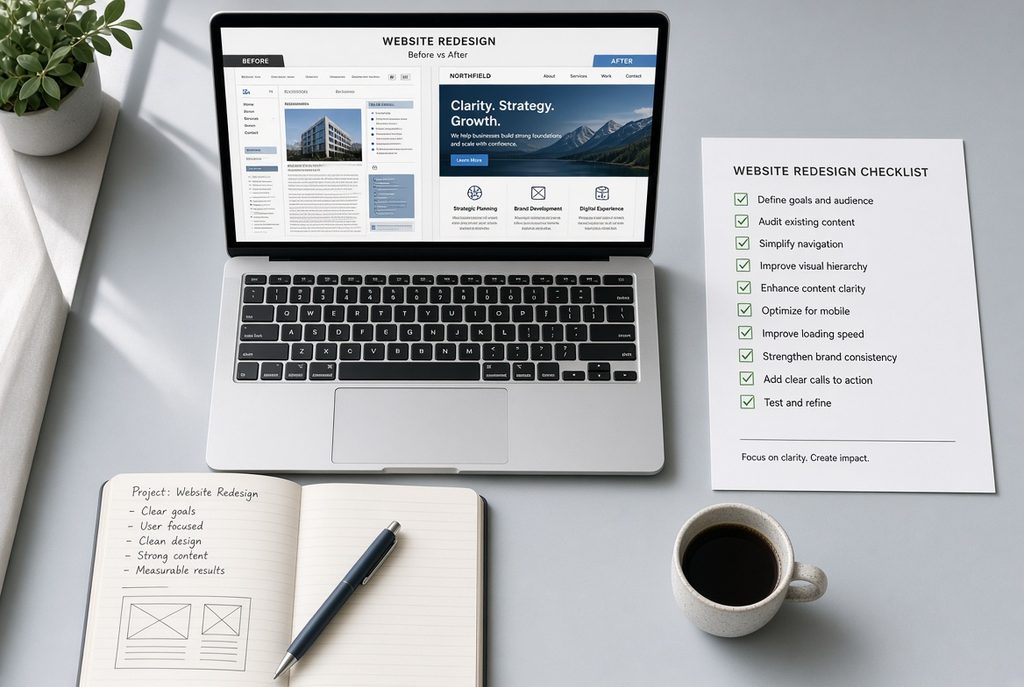
A website redesign can give your business a stronger first impression, clearer messaging, and better results. It can also quietly erase the search rankings, form submissions, and customer trust you already earned if you skip the foundational work.
Too many redesigns start with colors, layouts, or homepage inspiration. Those come later. The real work begins with clarity on goals, a full audit of what currently works, and a plan to protect SEO and conversions. This website redesign checklist walks you through the practical steps business owners and teams should complete before design begins, during the build, and after launch.
Whether you are refreshing an outdated WordPress site, moving to a cleaner structure, or rebuilding for better performance, use this checklist to stay focused on outcomes instead of just a new look.
Define Clear Business Goals and Success Metrics
Start by writing down why the redesign is happening now. A vague goal such as “make it look modern” rarely produces measurable improvement.
Ask yourself a few honest questions:
- What is the current site preventing? Fewer inquiries? High bounce rates? Content that is hard to update? A slow experience on phones?
- Which business outcomes should the new site improve—more contact form submissions, booking requests, product sales, or phone calls?
- How will you measure success 30, 60, and 90 days after launch?
Record a baseline from Google Analytics and Google Search Console: monthly organic sessions, top landing pages, conversion rate on key forms, and the main conversion number (leads, demos, or orders) for the past 6–12 months. Without this baseline you cannot tell whether the redesign actually helped.
Pick one primary number the redesign must move and treat everything else as secondary. This single focus keeps decisions practical when the project gets busy.
Audit the Existing Website Thoroughly
Before changing anything, document what already performs.
Pull a full list of URLs, titles, H1s, and meta descriptions. Identify the pages that currently bring organic traffic, backlinks, or conversions. These pages need protection. Note any outdated, thin, or duplicate content that can be improved, merged, or removed. Review form performance and the common questions your sales or support team hears from customers.
On the technical side, capture current rankings for important keywords, check Core Web Vitals and mobile experience, and list every integration—CRM, email tools, booking systems, analytics, payment gateways. Flag accessibility or performance issues that should be fixed in the new build.
This audit becomes your map. Pages with real traffic or links should keep their URLs when possible or receive precise 301 redirects.
Plan the New Structure and Content Strategy
Create a new sitemap before design starts. Map every important old URL to its new destination. Decide early which pages stay, which merge, which get rewritten, and which get retired.
Keep primary navigation limited and logical—usually five to seven main items. Plan clear user paths for the actions that matter most: contact, book, buy, or learn more. Assign primary and secondary keywords to key pages so the content supports search intent. Decide what content will be reused versus rewritten. Strong existing copy that already ranks should not be casually shortened or replaced.
Write or update the core messaging for the homepage, service or product pages, about, and contact first. Design works better when the words and goals are already clear.
Protect SEO During the Redesign
SEO loss is the most common and most expensive mistake in website redesigns. Most of it is preventable.
Freeze important ranking URLs or map every change with a one-to-one 301 redirect. Never dump everything to the homepage. Preserve or carefully improve title tags, meta descriptions, and H1s on pages that already rank. Keep valuable content visible on both desktop and mobile versions. Maintain internal links to important pages. Plan structured data—Organization, FAQ, Breadcrumbs—where it fits. Set a performance budget so the new design does not introduce slow load times or layout shifts.
If you are changing platforms or heavily restructuring, treat the redirect map and content parity checks as non-negotiable launch requirements.
Design and Build with Performance and Usability in Mind
Once goals, structure, and SEO protections are set, move into design and development.
Design mobile layouts first or in parallel—most visitors will use phones. Keep one clear primary call-to-action per key page. Build reusable components and a CMS setup that your team can actually edit without a developer. Optimize images, fonts, and scripts from the start. Test forms, tracking, and integrations thoroughly on the staging site. Confirm the staging environment is blocked from indexing until launch day.
For many small businesses and professional service providers, a well-planned WordPress rebuild with a flexible page builder such as Elementor balances design quality, editability, and long-term maintainability.
Pre-Launch and Launch Checklist
Before going live, verify every mapped redirect works and returns a proper 301. Make sure no staging noindex tags or robots blocks remain on the production site. Confirm analytics, conversion events, and forms fire correctly. Check that core pages pass basic speed and mobile tests. Confirm contact details, privacy policy, and legal pages are accurate. Have the XML sitemap ready to submit on launch day.
On launch day activate the redirects, remove any temporary blocks, submit the new sitemap in Google Search Console, and monitor real-time traffic and form submissions. Have a short rollback or fix plan ready just in case.
Monitor and Optimize After Launch
The redesign is not finished on launch day. In the first 30–60 days compare top pages and rankings against your pre-launch baseline weekly. Watch for unexpected 404s and fix them quickly. Confirm forms and tracking continue to work after any post-launch updates. Review user behavior on key conversion paths and make small refinements.
Ongoing maintenance—security updates, backups, performance checks—protects the investment you just made.
Common Pitfalls to Avoid
Starting design before goals and the URL map are clear. Changing or deleting ranking pages without redirects. Ignoring mobile experience or Core Web Vitals. Rebuilding forms and tracking without testing end-to-end. Treating the redesign as a one-time project instead of the start of ongoing improvement.
A structured website redesign checklist turns these risks into manageable steps.
Looking to redesign your website without losing the search visibility and leads you have already built? Nexryvo helps businesses create modern, responsive, and performance-focused WordPress websites with careful attention to structure, SEO, and usability. Get in touch with our team to discuss your project and see how a well-planned redesign can support your next stage of growth.