
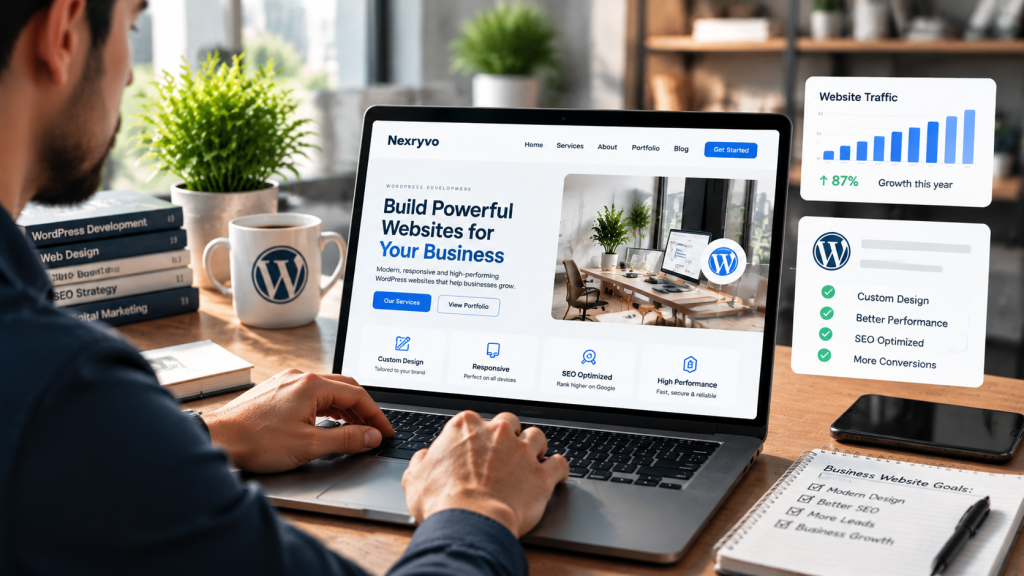
Choosing the right platform for your business website is an important decision. Your website needs to represent your brand, attract potential customers, support your marketing strategy, and grow alongside your business.
But with so many website-building platforms available today, is WordPress still worth choosing in 2026?
Platforms such as Wix, Shopify, Squarespace, and Webflow offer convenient website-building solutions. They provide ready-made designs, integrated hosting options, and tools that make website creation easier for beginners.
So, does WordPress still have a place in modern business website development?
The short answer is yes. WordPress remains a strong choice for businesses that value customization, content management, SEO flexibility, and long-term control over their websites.
However, it is not necessarily the best solution for every business.
In this guide, we explore why WordPress remains relevant in 2026, its advantages and limitations, how it compares with other platforms, and when businesses should consider using it.
Is WordPress Still Relevant in 2026?
WordPress remains one of the most widely used content management systems (CMS) on the internet.
According to W3Techs, as of October 30, 2026, WordPress powers approximately 39.5% of all websites and accounts for 58.2% of websites using a detectable content management system. These figures demonstrate its continued presence across the web. <Cite refs={[“turn761167search0”]}/>
Its continued relevance comes from several important capabilities:
- Flexible website customization
- Extensive themes and plugins
- Content management functionality
- Search engine optimization options
- E-commerce integration through WooCommerce
- Support for custom development
- A large developer and user community
WordPress also continues to receive updates. WordPress 7.1.4, released on October 28, 2026, includes security fixes, demonstrating that the platform continues to receive active maintenance and development. <Cite refs={[“turn761167search3”]}/>
For businesses, this means WordPress is not simply an older website-building tool. It remains an actively maintained platform with an extensive ecosystem.
7 Reasons Why WordPress Is Still a Good Choice for Businesses
Let’s explore the features that make WordPress a practical option for modern business websites.
1. Complete Website Customization and Flexibility
One of the biggest advantages of WordPress is its flexibility.
Unlike website builders that operate within a more controlled environment, self-hosted WordPress allows businesses to customize their websites according to specific requirements.
You can create:
- Corporate business websites
- Professional service websites
- Portfolio websites
- Landing pages
- Membership platforms
- Online stores
- Content-focused websites
You also have several options for designing your website.
Popular tools include Elementor, Divi, Beaver Builder, and Gutenberg.
These tools allow developers and business owners to create custom layouts without writing code for every design element.
For businesses with more specialized requirements, developers can build custom themes, plugins, integrations, and functionality.
For example, a consulting company may need appointment booking, customer inquiry forms, service-specific landing pages, and CRM integration. WordPress can support these requirements through suitable plugins or custom development.
This flexibility makes WordPress particularly useful for businesses that expect their website requirements to change over time.
2. Strong SEO Capabilities
Search engine visibility is important for businesses that want to attract customers through organic search.
WordPress provides several features that help businesses build an SEO-friendly website.
You can manage important SEO elements such as:
- Page titles and meta descriptions
- Search-friendly URLs
- XML sitemaps
- Heading structures
- Image ALT text
- Internal linking
- Canonical URLs
- Structured data
Plugins such as Rank Math, Yoast SEO, and All in One SEO provide additional tools for managing these elements.
WordPress also gives developers greater control over technical SEO configurations and website structure.
For example, a web development agency can create separate service pages for WordPress development, website redesign, and WooCommerce development. Each page can target a different search intent and provide relevant information to potential customers.
However, having WordPress does not automatically guarantee better Google rankings.
Search performance still depends on content quality, technical implementation, competition, backlinks, and overall website experience.
For businesses investing in long-term content marketing and SEO, WordPress offers a flexible foundation.
3. Cost Flexibility and Control Over Your Budget
WordPress is free, open-source software.
However, running a self-hosted WordPress website involves other expenses, including hosting, domain registration, premium plugins, themes, and development services.
The advantage is that you can choose the tools and services that fit your business budget.
For example, a startup may begin with:
- Affordable shared hosting
- A lightweight free theme
- Essential free plugins
- A simple website structure
As the business grows, it can invest in premium tools, custom development, better hosting, and additional functionality.
This makes WordPress suitable for businesses with different budgets and development requirements.
Unlike a fixed website-building subscription, you can select individual services and manage your infrastructure according to your needs.
However, remember that lower initial costs do not always mean lower long-term expenses. Hosting quality, premium licenses, security, maintenance, and development support should all be included in your budget.
4. Extensive Plugin and Integration Options
A business website often needs more than basic pages and contact information.
You may need appointment booking, email marketing, payment processing, CRM integration, analytics, or customer management functionality.
WordPress supports these requirements through its extensive plugin ecosystem.
Some commonly used tools include:
| Business Requirement | WordPress Solution |
|---|---|
| SEO Optimization | Rank Math, Yoast SEO |
| E-commerce | WooCommerce |
| Contact Forms | WPForms, Gravity Forms |
| Website Security | Wordfence |
| Caching | WP Rocket |
| Page Design | Elementor, Divi |
| Backups | UpdraftPlus |
| Analytics | Google Site Kit |
You can also integrate WordPress with external business tools through APIs and supported integrations.
For example, a service-based business can connect website forms to a CRM system to organize incoming inquiries and manage potential customers.
One important consideration is plugin quality. Installing too many unnecessary plugins can increase maintenance complexity and create compatibility problems.
Choose tools based on actual business requirements rather than installing every available feature.
5. WooCommerce Makes WordPress Suitable for E-commerce
If your business plans to sell products online, WordPress offers a powerful e-commerce option through WooCommerce.
WooCommerce is an open-source e-commerce platform built for WordPress.
It supports important online store functionality, including:
- Product management
- Shopping cart and checkout
- Payment gateway integration
- Shipping configuration
- Inventory management
- Discount coupons
- Customer accounts
- Product filtering
You can also extend your store with additional plugins and custom development.
For example, a small clothing retailer can use WooCommerce to manage product categories, sizes, stock, payments, and customer orders.
As the store grows, additional functionality can be introduced according to business requirements.
WooCommerce is particularly useful for businesses that want more control over their online store’s design and functionality.
However, larger stores may require more advanced hosting, performance optimization, and ongoing technical support.
6. Scalability for Long-Term Business Growth
Your business website should be able to evolve as your company grows.
A startup may initially need only a homepage, service pages, and a contact form. Later, it may require additional landing pages, a blog, customer portals, or e-commerce functionality.
WordPress makes this expansion possible through its themes, plugins, integrations, and custom development capabilities.
You can introduce new features without necessarily rebuilding the entire website.
For example, a professional services company can start with a basic WordPress website and later introduce:
- Dedicated service pages
- Industry-specific landing pages
- Case studies
- Appointment booking
- CRM integration
- Resource libraries
- Customer portals
The key is to plan the website architecture properly from the beginning.
A poorly developed website can still become difficult to scale, regardless of the platform.
7. Greater Control Over Your Website
One of the most important advantages of self-hosted WordPress is control.
With WordPress.org, you choose your hosting provider and have access to your website files and database.
You can manage your themes, plugins, content, and development environment according to your requirements.
This is useful for businesses that want flexibility when selecting hosting providers, developers, and third-party services.
It also makes it easier to plan migrations between compatible hosting providers.
However, greater control comes with greater responsibility.
You need to manage software updates, security, backups, and technical maintenance or hire professionals to handle these tasks.
For businesses that want control over their digital infrastructure, this trade-off can be worthwhile.
What Are the Disadvantages of Using WordPress for Business?
Although WordPress offers several advantages, businesses should also understand its limitations.
1. Regular Maintenance Is Required
Self-hosted WordPress websites require ongoing maintenance.
You need to update WordPress, themes, and plugins, create backups, monitor security, and check website functionality.
Ignoring these responsibilities can create security and compatibility problems.
Businesses without technical resources may need professional maintenance support.
2. Plugin Compatibility Issues
WordPress plugins extend website functionality, but not every plugin works perfectly with every theme, plugin, or WordPress version.
Updates can sometimes introduce conflicts that affect website layouts or functionality.
Using reputable plugins and testing updates in a staging environment can help reduce these risks.
3. Performance Depends on Development Quality
WordPress does not automatically create a fast website.
Poor hosting, excessive plugins, oversized images, and inefficient themes can affect performance.
A properly developed website needs suitable hosting, optimized assets, efficient code, and regular performance monitoring.
4. Beginners May Face a Learning Curve
WordPress provides flexibility, but setting up a professional website requires several decisions.
You need to choose hosting, configure the website, select themes, manage plugins, and maintain security.
Page builders make design easier, but businesses with limited technical experience may still benefit from professional development.
These limitations do not make WordPress a poor choice. They simply highlight the importance of proper website planning and maintenance.
WordPress vs Other Website Platforms in 2026
WordPress is not the only option available to businesses.
Platforms such as Wix, Shopify, and Squarespace provide alternative website-building experiences.
Here is a simplified comparison.
| Feature | WordPress.org | Wix | Shopify | Squarespace |
|---|---|---|---|---|
| Ease of Use | Moderate | Easy | Easy | Easy |
| Customization | Extensive | Platform-based | Platform-based | Platform-based |
| Hosting | Separate | Included | Included | Included |
| SEO Flexibility | Extensive | Good | Good | Good |
| E-commerce | WooCommerce | Built-in | Core Focus | Built-in |
| Maintenance | Owner-managed | Mostly managed | Mostly managed | Mostly managed |
| Developer Control | High | More limited | More limited | More limited |
| Best For | Flexible business websites | Simple business websites | Online stores | Design-focused websites |
When Should You Choose WordPress?
WordPress is a strong option if:
- You need extensive website customization.
- Your business relies on organic search traffic.
- You plan to publish content regularly.
- You need custom functionality or integrations.
- You want control over hosting and website files.
- You plan to expand your website over time.
When Should You Consider Another Platform?
Wix may be suitable if you want a simple, managed website without handling separate hosting.
Shopify may be a better choice if your primary requirement is a hosted e-commerce platform with integrated store management.
Squarespace may be suitable if you prioritize ready-made visual designs and straightforward website management.
The best platform depends on your business model, technical requirements, budget, and long-term plans.
Is WordPress a Good Choice for Small Businesses?
Yes. WordPress can be an excellent choice for small businesses, particularly those that need flexibility and control over their online presence.
Consider a small US-based marketing agency.
Initially, it may need only a homepage, service pages, an about page, and a contact form.
As the agency grows, it may want to publish SEO-focused blog articles, create dedicated landing pages, showcase client projects, and integrate its CRM.
WordPress can support these changing requirements through its themes, plugins, and custom development options.
A local service provider, consulting company, or startup can also use WordPress to establish a professional online presence without committing to a highly complex website from the beginning.
However, businesses that want a completely managed platform with minimal technical responsibility may prefer a hosted website builder.
The important thing is to choose a platform that matches your operational needs.
How to Build a Professional WordPress Website for Your Business
Choosing WordPress is only the first step. Your website also needs proper planning and development.
Consider these essential steps:
1. Define Your Business Goals
Decide whether your website should generate leads, sell products, build brand awareness, or support customer communication.
2. Choose Suitable Hosting
Select a hosting provider that can support your website’s traffic, storage, security, and performance requirements.
3. Plan Your Website Structure
Organize your homepage, service pages, about page, contact page, and other important sections.
4. Invest in Professional Design
Choose a design that reflects your brand identity and provides a consistent experience across devices.
5. Configure SEO and Performance
Set up essential SEO elements, optimize images, configure caching, and test website performance.
6. Prioritize Security and Maintenance
Implement backups, use trusted plugins, update software regularly, and monitor website security.
7. Test Before Launching
Check navigation, forms, mobile responsiveness, browser compatibility, and important website functionality before making the site publicly available.
A properly planned development process helps create a website that is easier to manage and improve over time.
Final Verdict: Is WordPress Still Worth It in 2026?
Yes. WordPress remains a strong platform for business websites in 2026.
Its flexibility, customization options, SEO capabilities, extensive plugin ecosystem, and WooCommerce integration make it suitable for a wide range of business requirements.
However, WordPress is not automatically the best choice for everyone.
If you want a simple website with minimal technical management, a hosted website builder may be more convenient.
But if your business needs a customizable website that supports content marketing, organic search, integrations, and future expansion, WordPress deserves serious consideration.
The platform itself is only part of the equation. Your website’s success also depends on design quality, development standards, content, performance, security, and ongoing maintenance.
For businesses looking to build a flexible and professional digital presence, WordPress remains a practical investment in 2026.